

Tektronix current log import
Import a Tektronix current log and validate markers, samples, and the canonical result before reusing the measurement.
acq.tektronix_current_log · Version 2
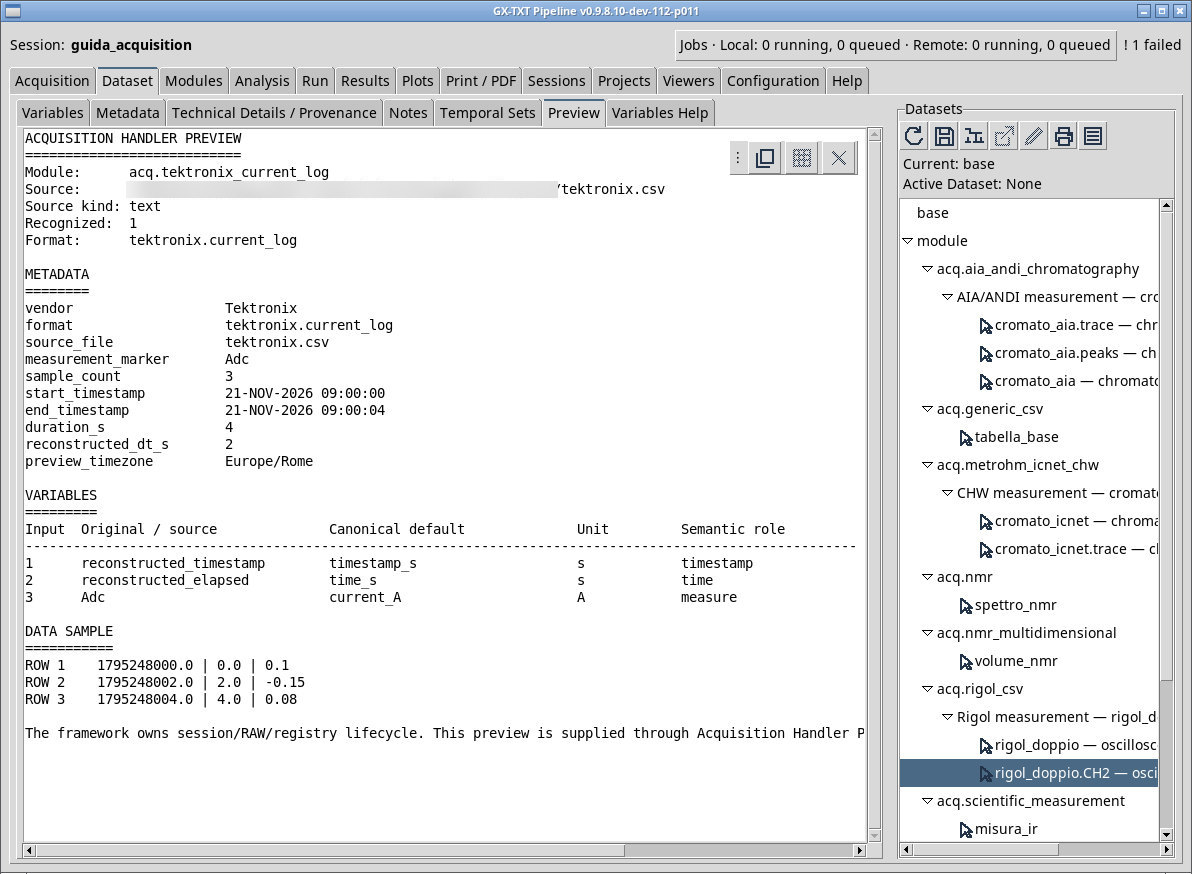
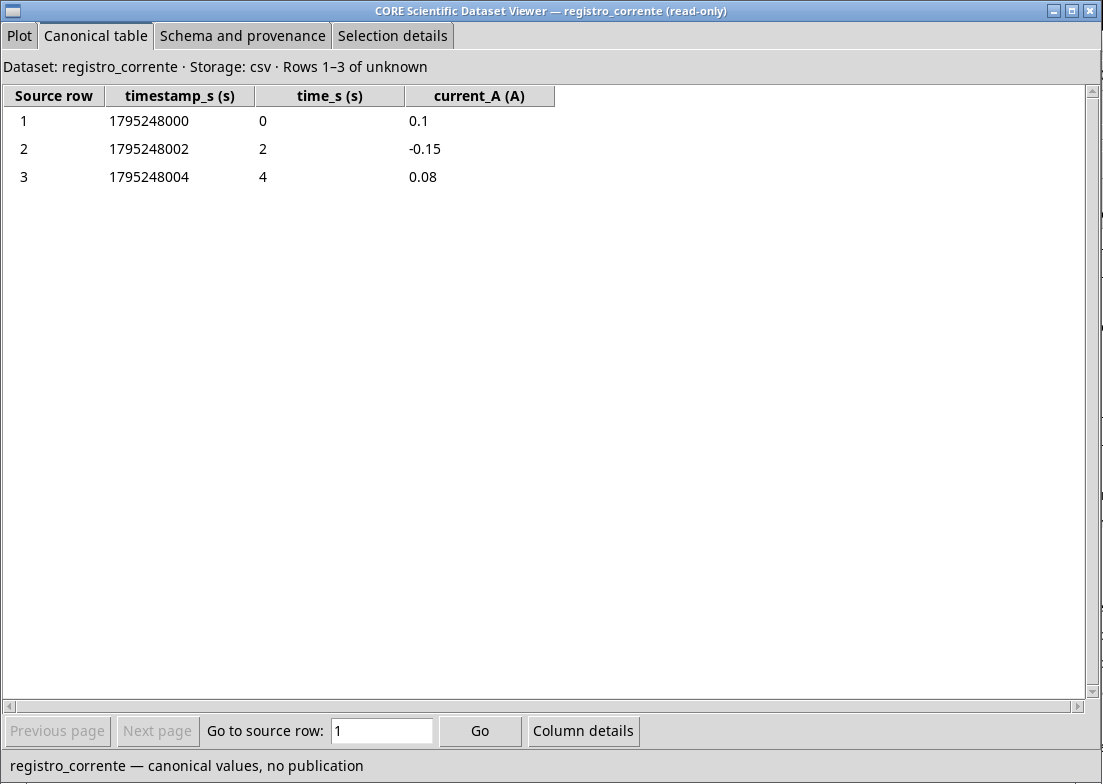
The parser reads logs with start and end timestamps and rows containing a numeric value and a marker. For tektronix.csv use Adc and Europe/Rome. The file contains three measurements over four seconds. The parser rebuilds the interval from the first and last instants, so expect 0, 2, 4 s and values 0.10, -0.15, 0.08. This axis represents uniform sampling rebuilt from the endpoints.
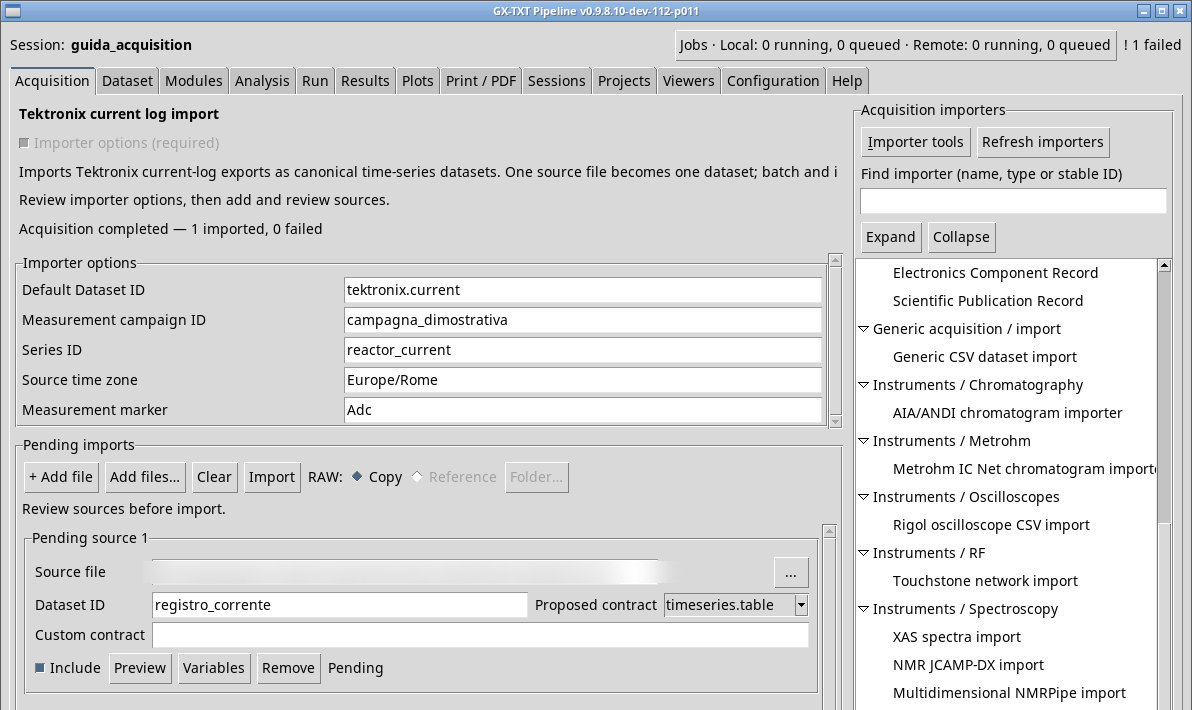
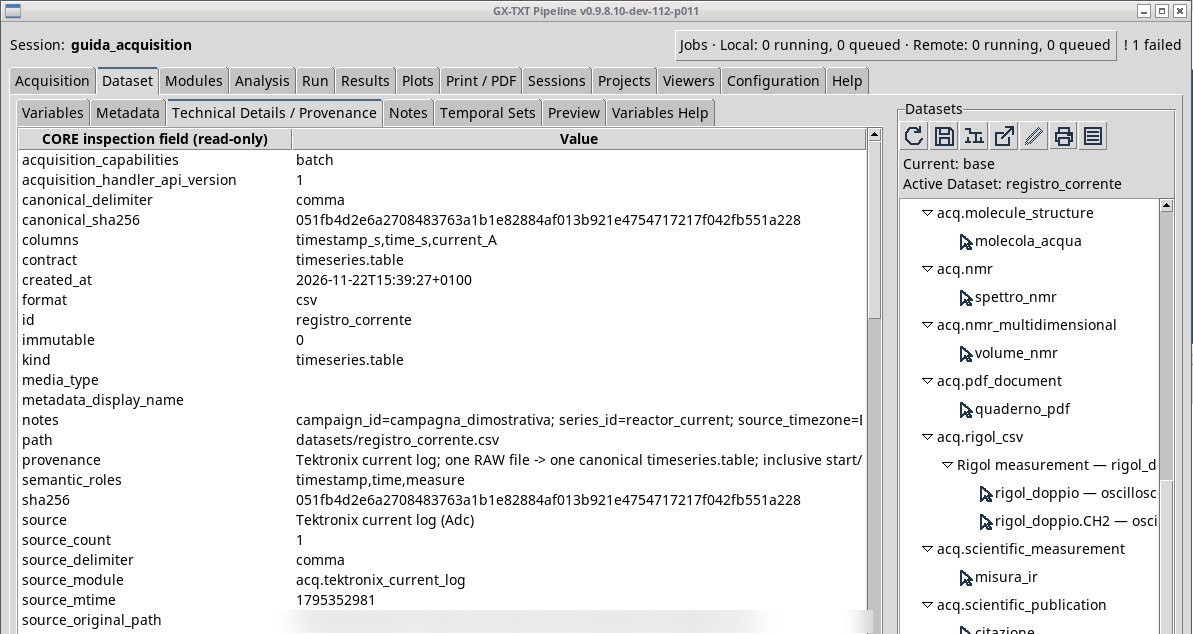
Measurement campaign ID distinguishes the campaign, Series ID the series, Source time zone interprets log times, and Measurement marker filters the measurements. An empty marker adopts the first one detected. In Variables keep the fields required for the time series and check units and roles. An end timestamp earlier than the start, missing dates, or a marker with no samples prevent the series from being built.
Exercise files
Sources, licenses, and SHA-256
Screenshots
Open a screenshot to view it at full size.
Controls and settings
Scrollbar
Default Dataset ID
Default value in the basic configuration tektronix.current.
Measurement campaign ID
The field is initially blank.
Series ID
reactor_current by default. Default value in the basic configuration reactor_current.
Source time zone
Europe/Rome. A wrong time zone changes the absolute instants. Default value in the basic configuration Europe/Rome.
Measurement marker
Adc is the initial choice. Use the actual marker in the log, or leave blank to detect the first one. Check that the expected number of samples remains. Default value in the basic configuration Adc.