

Touchstone network import
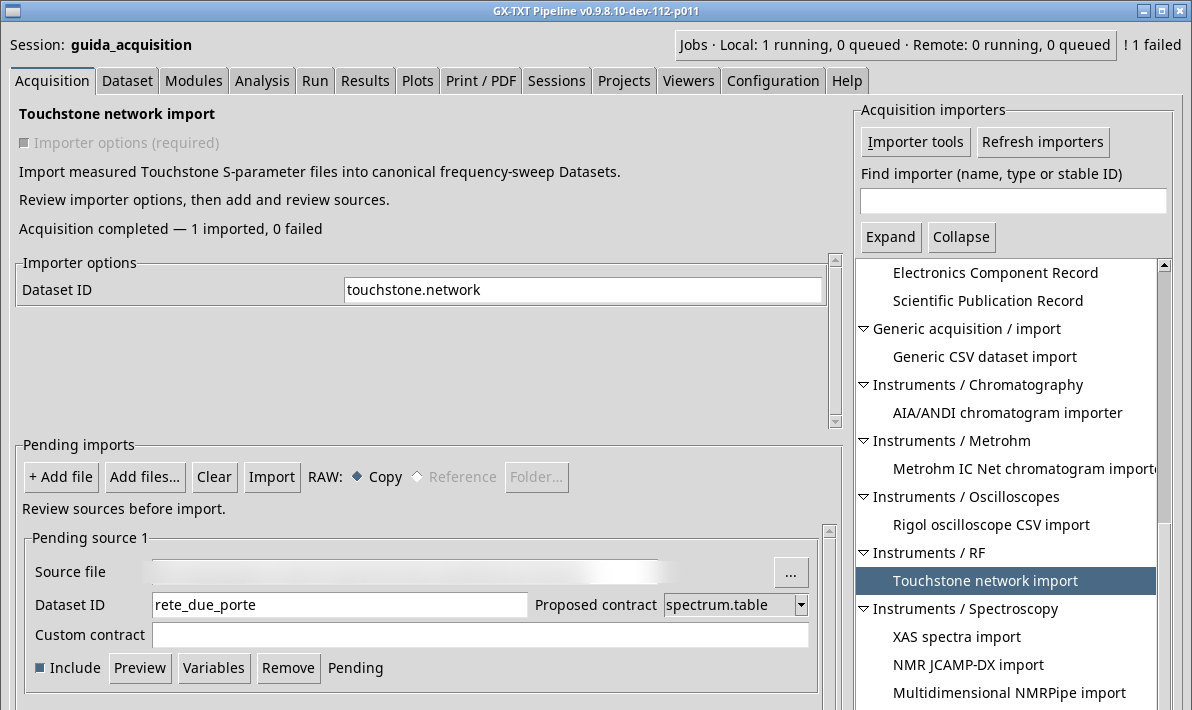
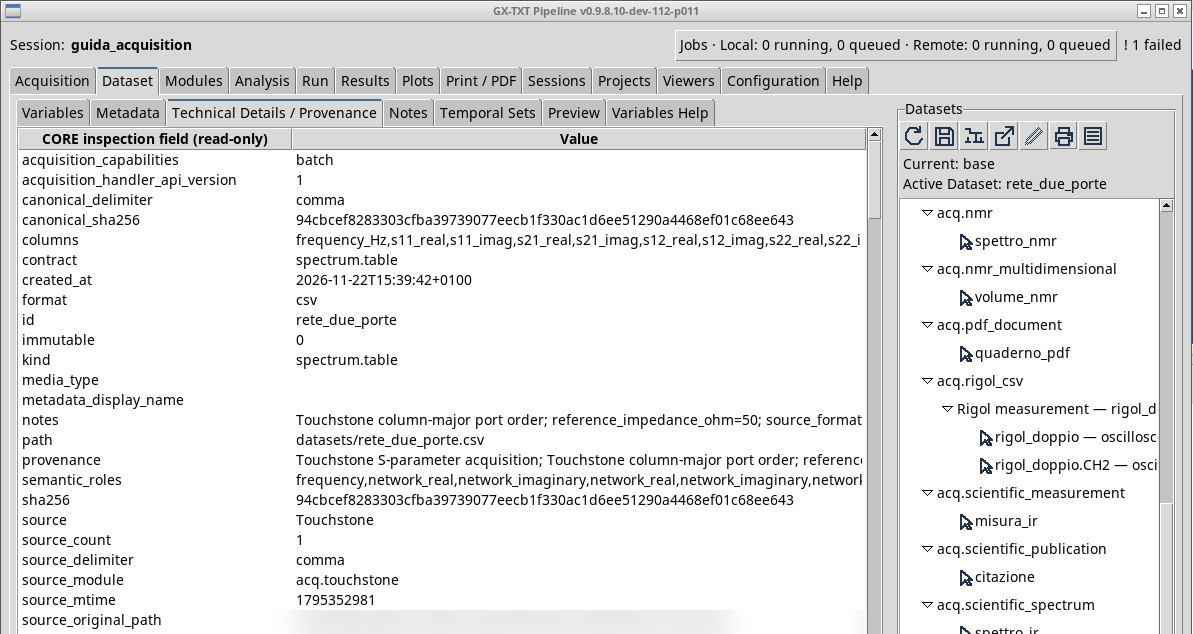
Acquire Touchstone files, check the network parameter representation, and open the resulting Dataset in GX-TXT.
acq.touchstone · Version 1.0.0
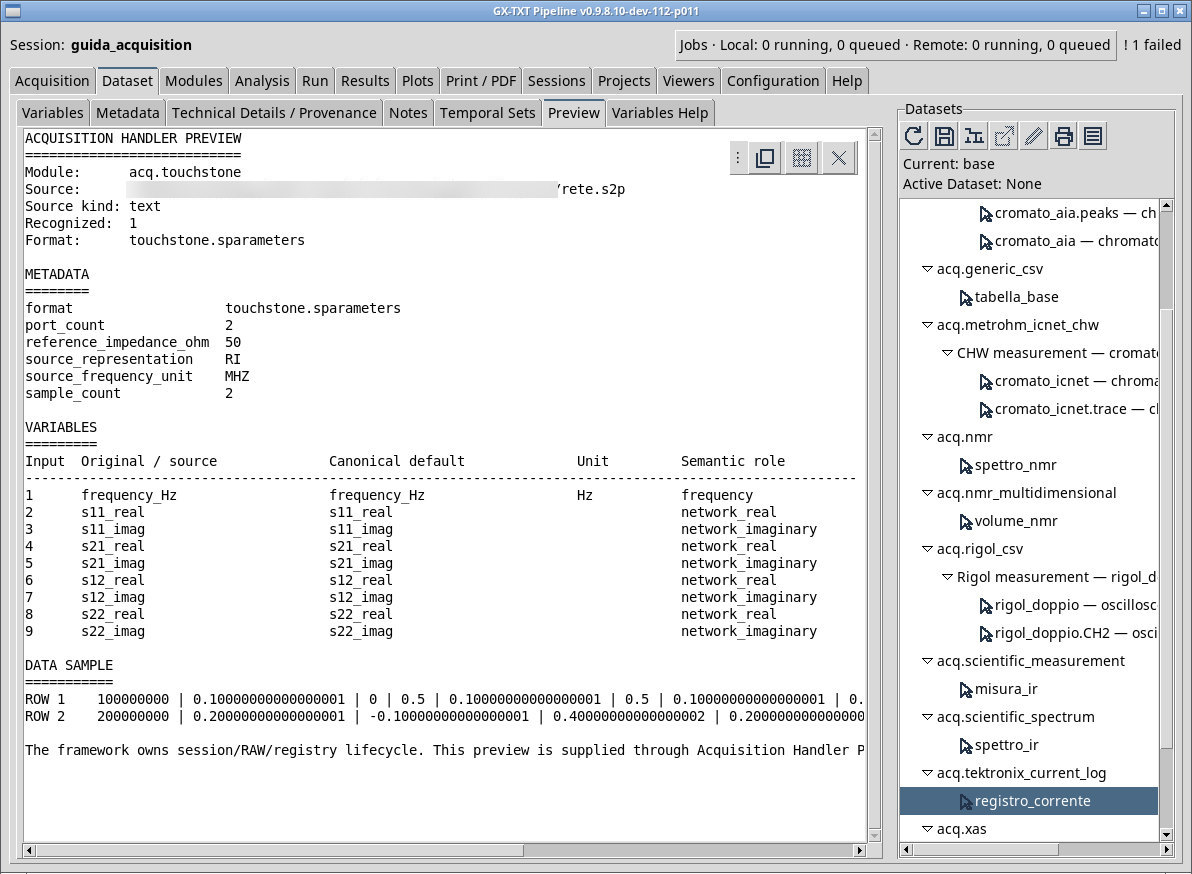
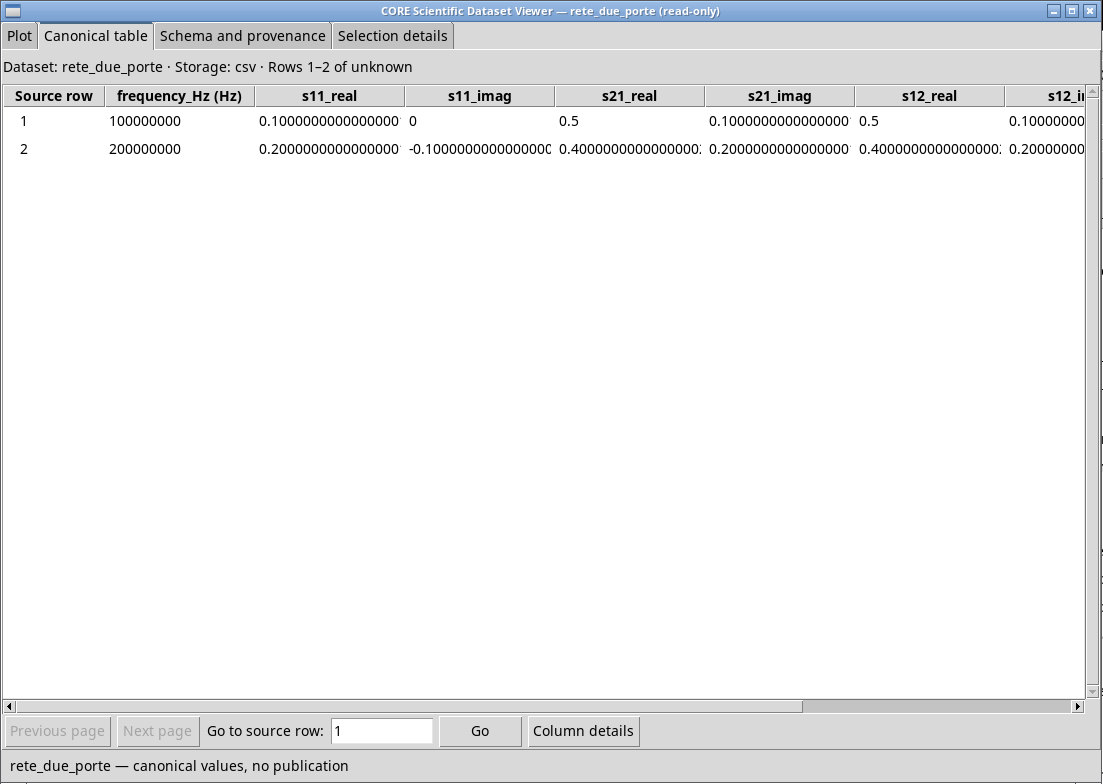
In a Touchstone file the # MHz S RI R 50 option declares frequency in MHz, scattering parameters, real/imaginary pairs, and a 50 Ω reference impedance. The rete.s2p fixture has two ports and two frequencies. Queue it with ID rete_due_porte and read the format and matrix in Preview. Check the canonical frequency value 100000000 Hz and the pair 0.5 , 0.1 for the transmission term at 100 MHz. For two ports the conventional input order is S11, S21, S12, S22.
With MA the source values are magnitude and phase in degrees. With DB the linear magnitude is 10 raised to dB/20. For example, 0.5 at 90° corresponds to an imaginary part of about 0.5. A −20 dB magnitude at 180° corresponds to a real part of about −0.1. Always check the units shown in the Dataset table.
The selector filter lists extensions from .s1p to .s9p. Use All files to try rete.s10p. The parser recognizes the number of ports from the extension, up to 32. A repeated frequency or the [Version] keyword of Touchstone 2.0 is outside the supported subset.
Exercise files
- rete.s2p (extract the ZIP first)
- rete-ma.s1p (extract the ZIP first)
- rete-db.s1p (extract the ZIP first)
- rete.s10p (extract the ZIP first)
- rete-duplicata.s2p (extract the ZIP first)
- rete-versione2.s2p (extract the ZIP first)
Sources, licenses, and SHA-256
Screenshots
Open a screenshot to view it at full size.
Controls and settings
Scrollbar
Dataset ID
Default value in the basic configuration touchstone.network.