

Text and Source Code Import
Declare the language and encoding of a source file. Register the exercise scripts and find them in the Script Library.
acq.text_document · Version 1.2.0
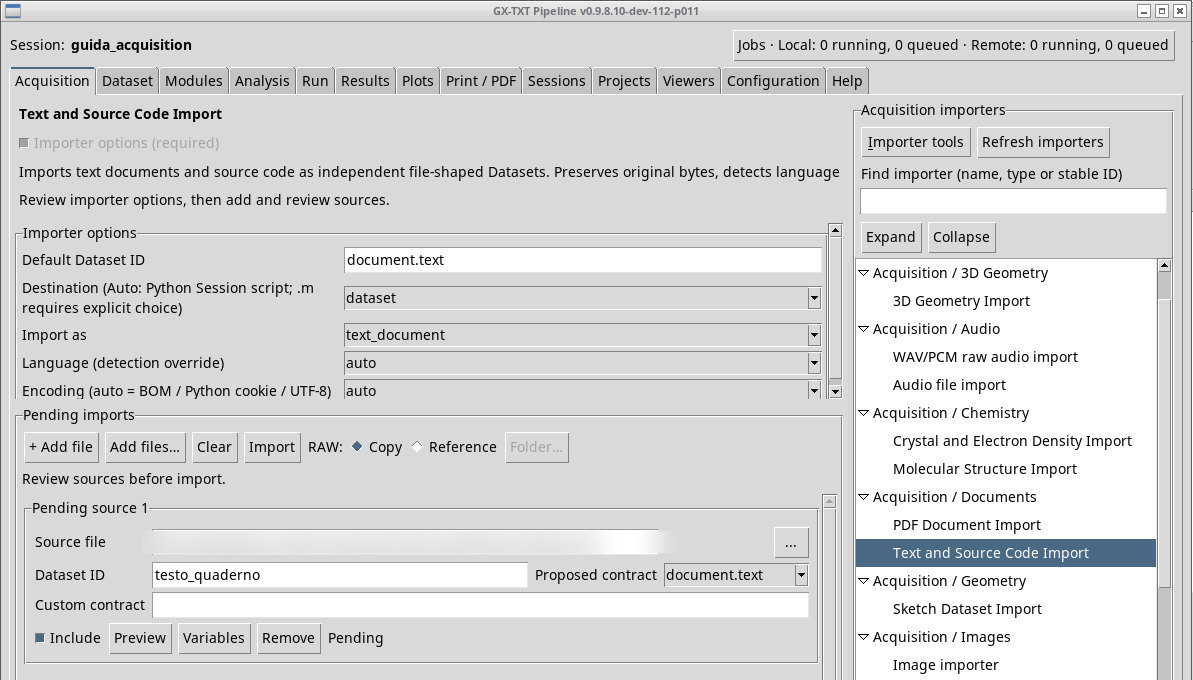
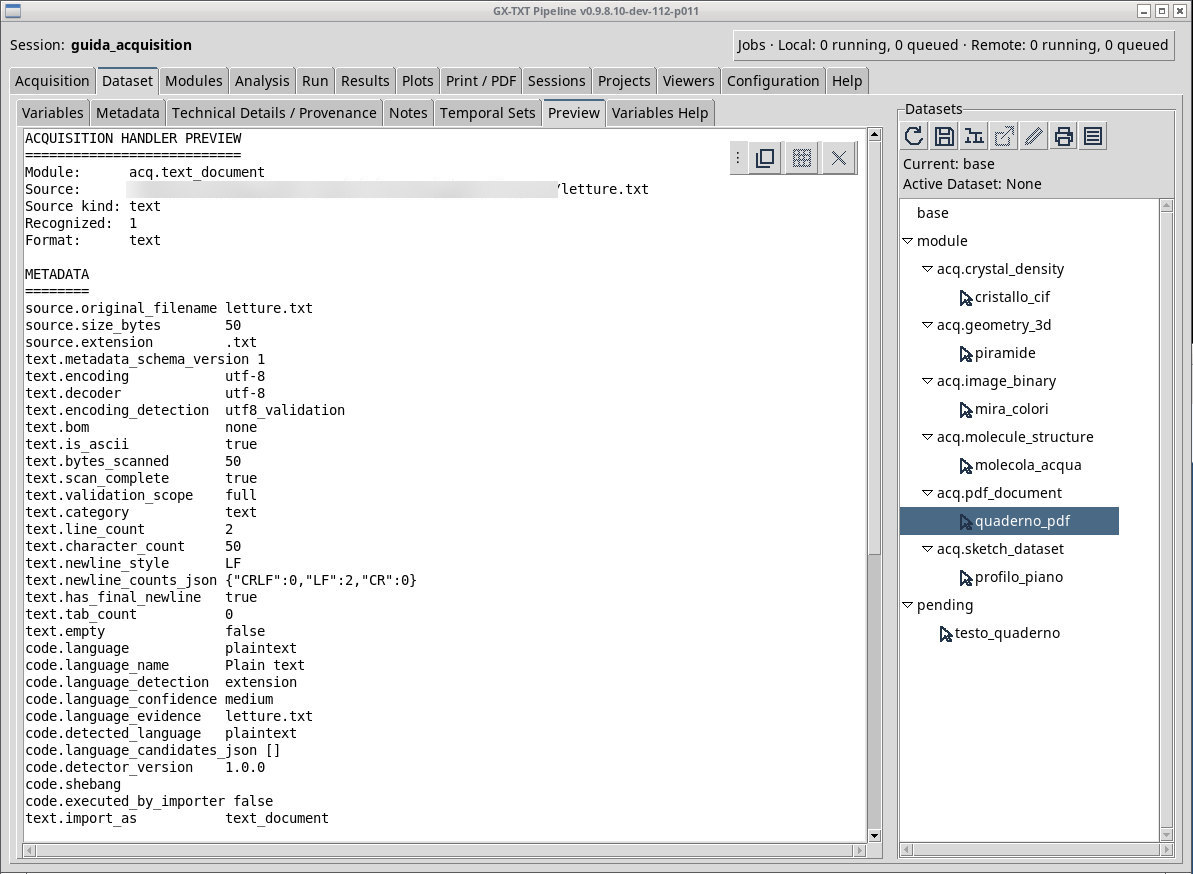
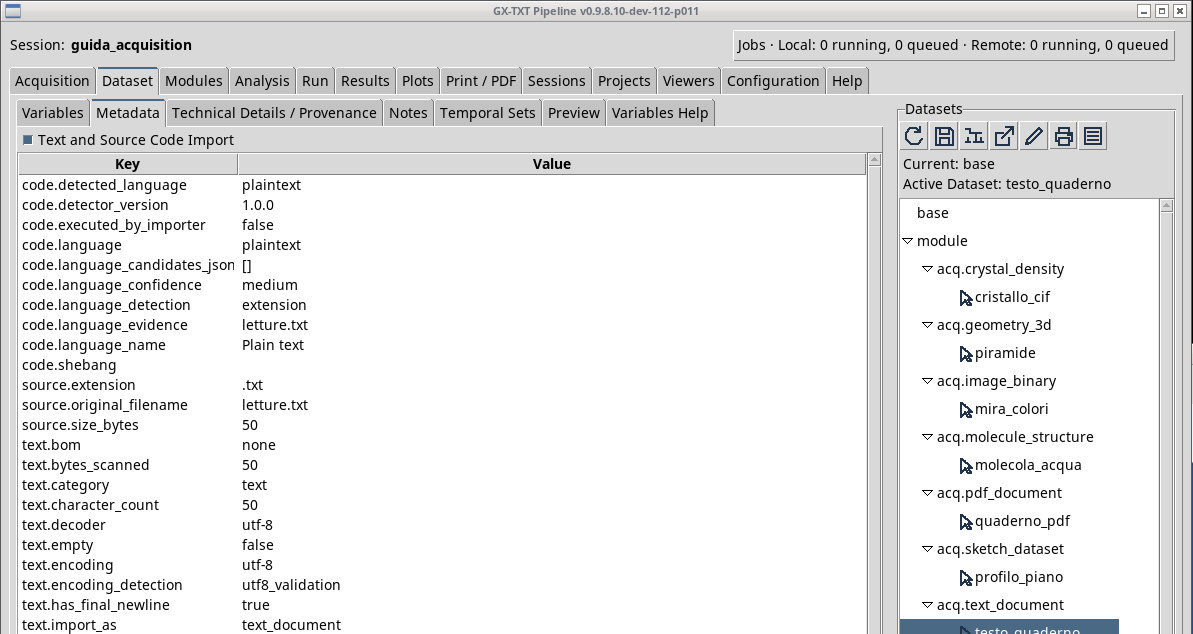
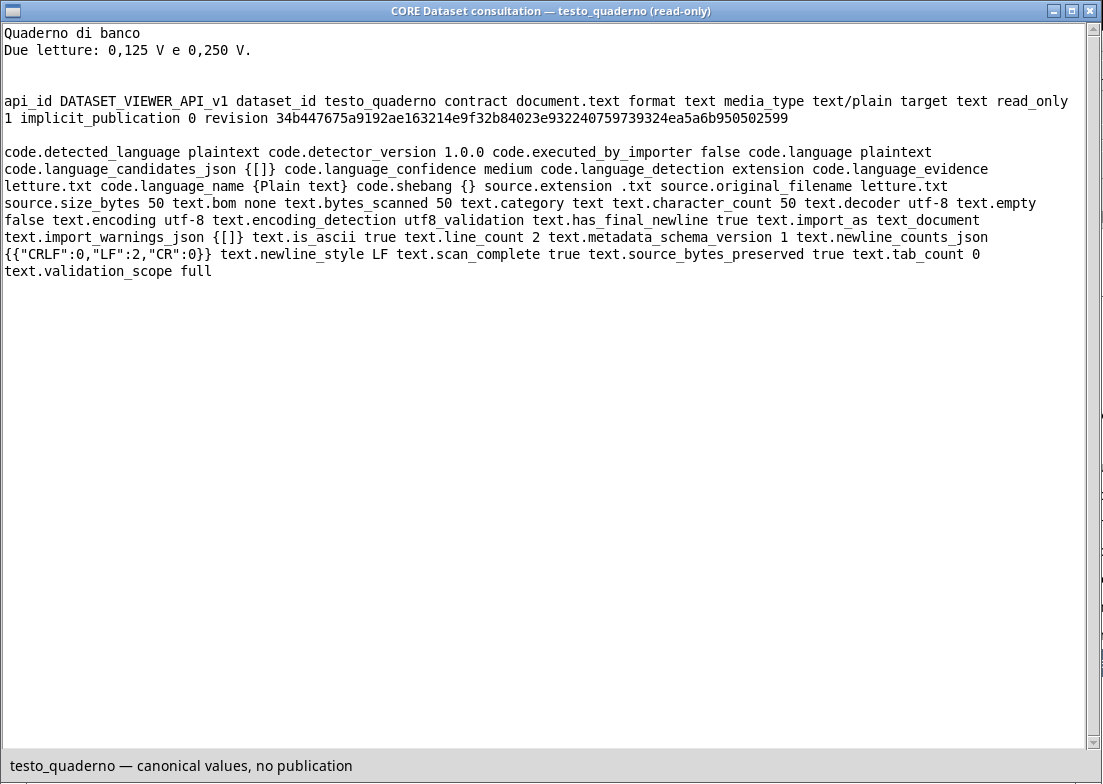
For letture.txt choose Destination dataset, Import as text_document, language and encoding auto. In Preview, check how the characters are read and the type. After Import, look for document.text. The same tab accepts typed sources and UML documents. The chooser filters help you find UML, Python, Tcl, text/markup, and other sources, or all files. Detection and overrides decide the actual route.
Register a Script without running it
- For
calcolo.pychoosedatasetif you want a Dataset that can be opened in Code. Useautoorsession_scriptto register Python code as a Session Script if it is recognized. - For
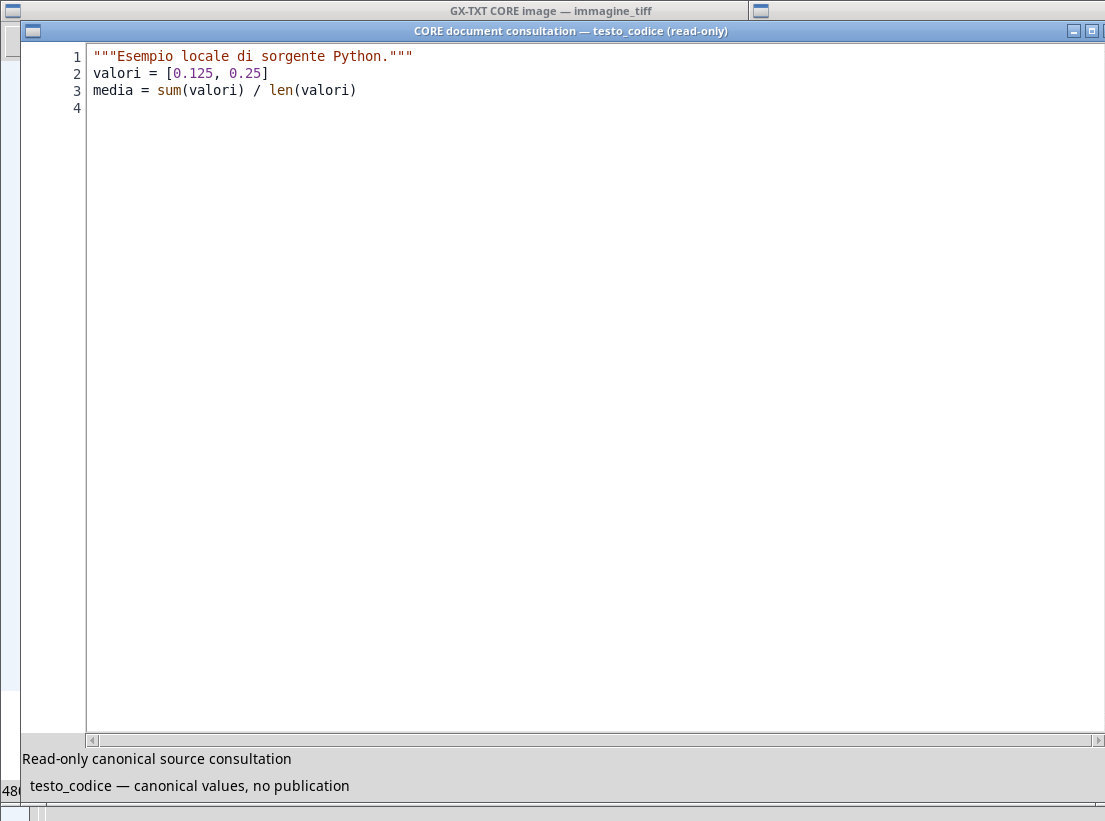
calcolo.mdeclare the destination explicitly. Withsession_scriptand languageoctave, look for the corresponding entry in the Script Library. A.mfile is ambiguous if you leave the destination on automatic. - Check the ID, revision, and source in the library. Import completes this exercise. You can read the registered source without running it.
Declare language and encoding
Language (detection override) lets you use autodetection or select a specific language. An explicit choice is useful when extension and content are ambiguous, as with .m. Text and markup languages guide classification and reading. Python and Octave can lead to the Script Library if the destination supports them. A language override does not convert source code to another language.
Encoding auto uses source information such as a BOM or Python encoding declaration, and uses UTF-8 as the usual path. For testo-cp1252.txt, set cp1252 and check the euro symbol. For testo-utf16.txt, verify the BOM. The Dataset preserves source bytes, while Script registration requires UTF-8 source and may strip the BOM. If Preview reads the file but Code cannot open it correctly, retain the original and try a UTF-8 copy, checking the characters after conversion.
Find the exercise scripts
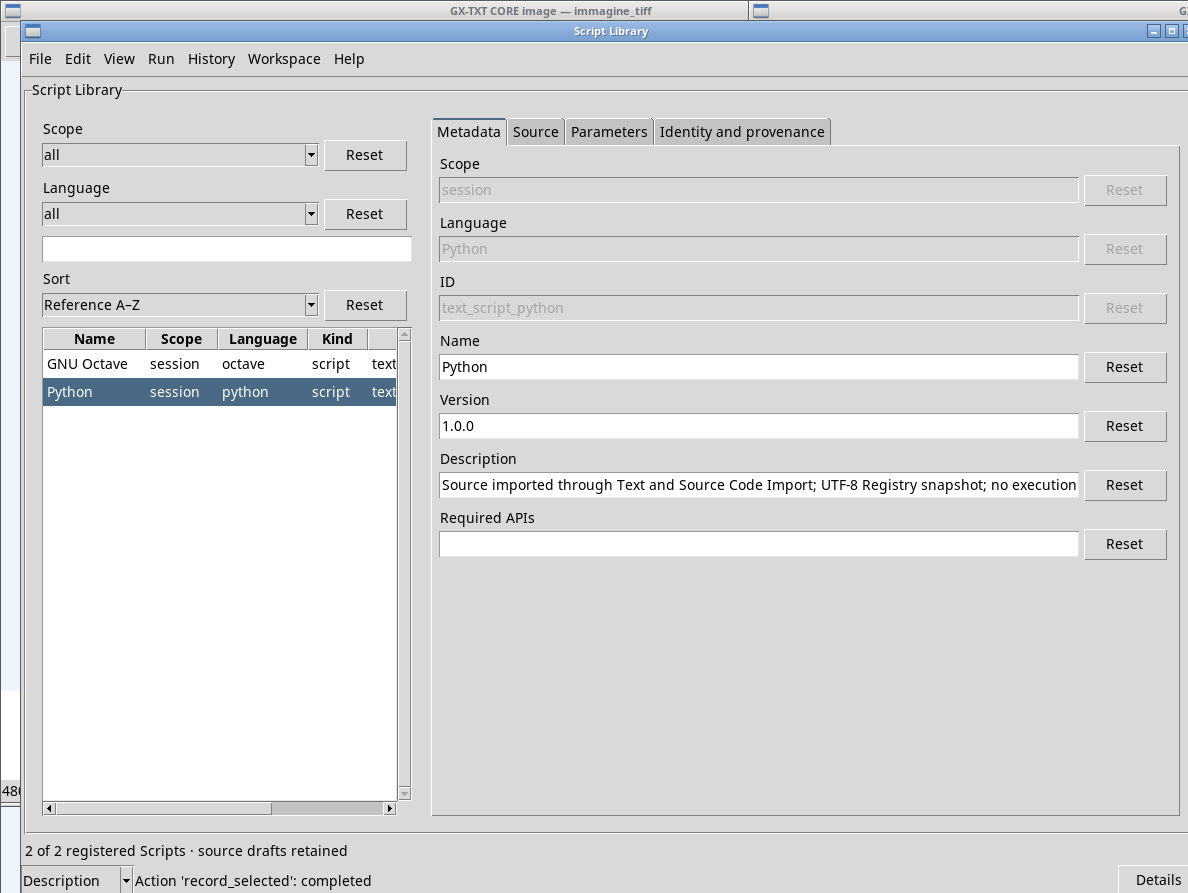
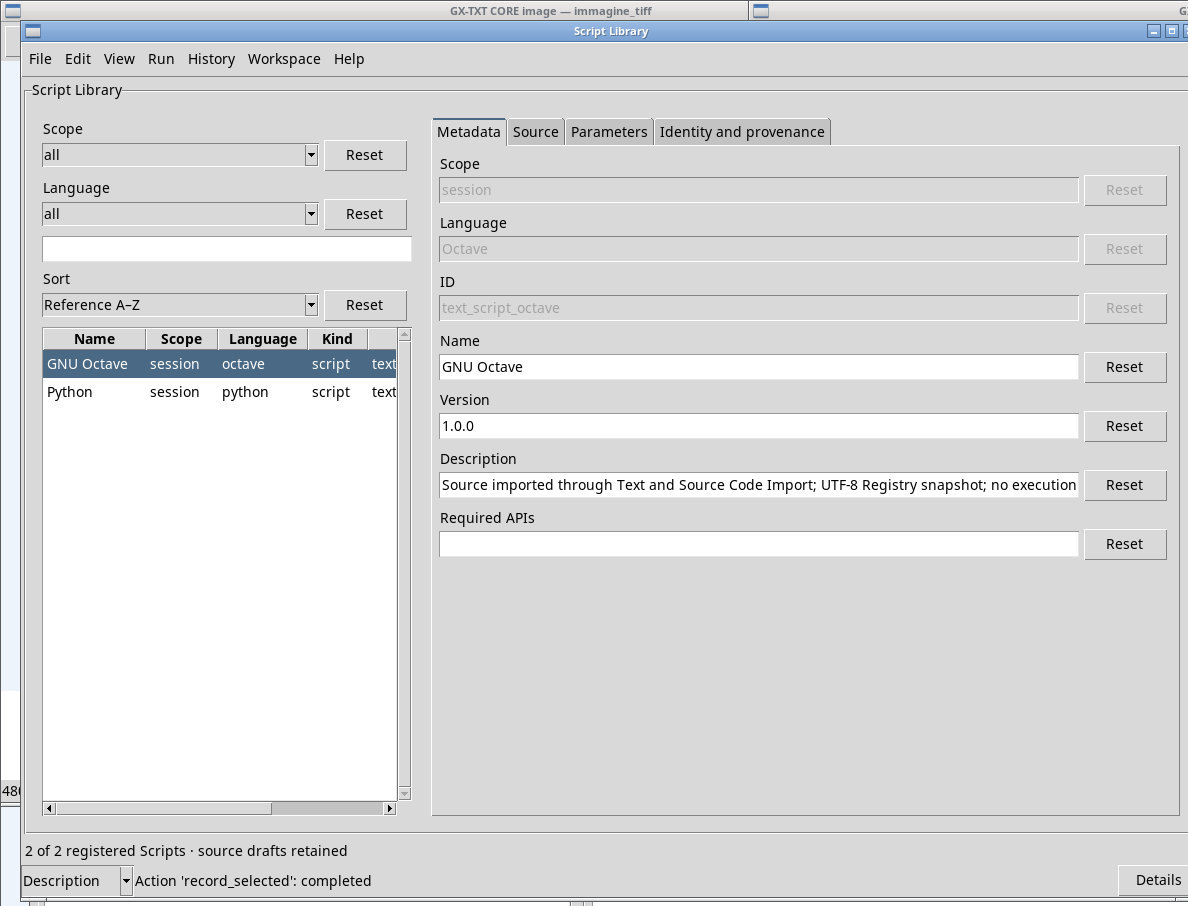
Open Sessions → Jobs → Run registered script… to open Script Library. Filter Scope to session if you want to see only the Session scripts. Select text_script_python or text_script_octave in the list and check the language, version, and revision in the window. Do not click Run to check the registration.
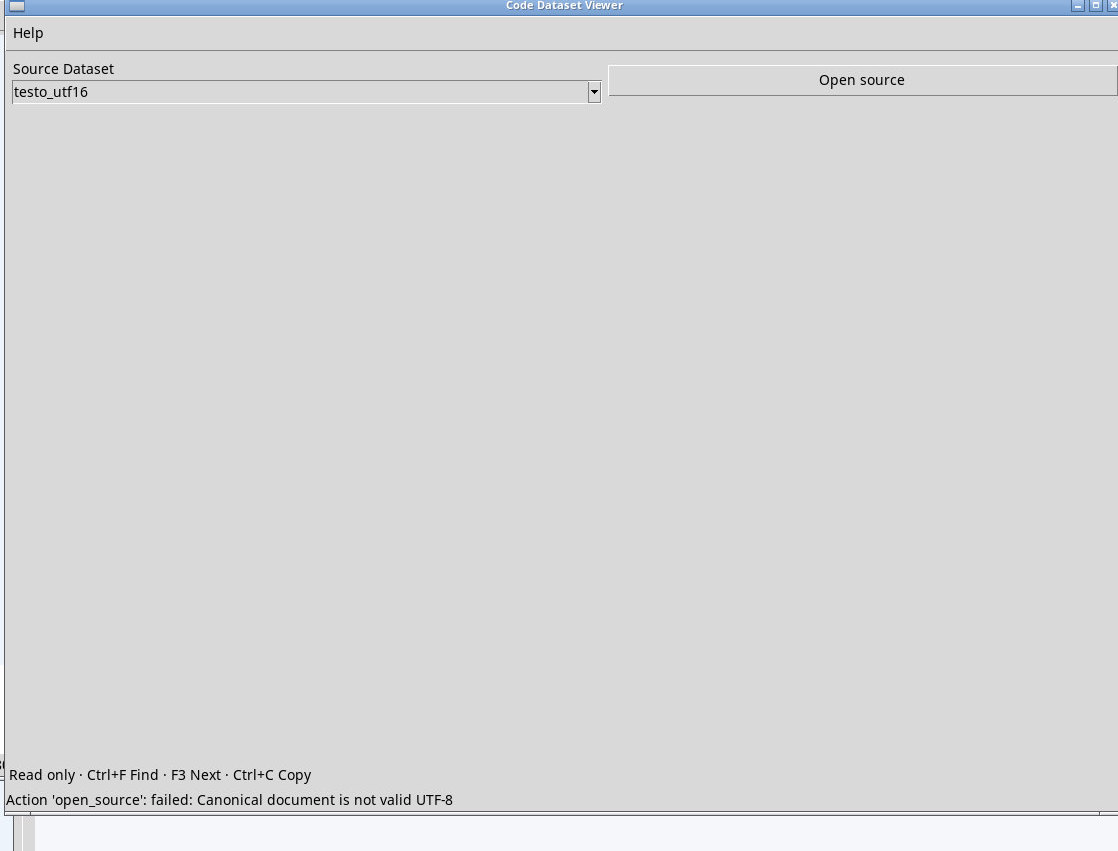
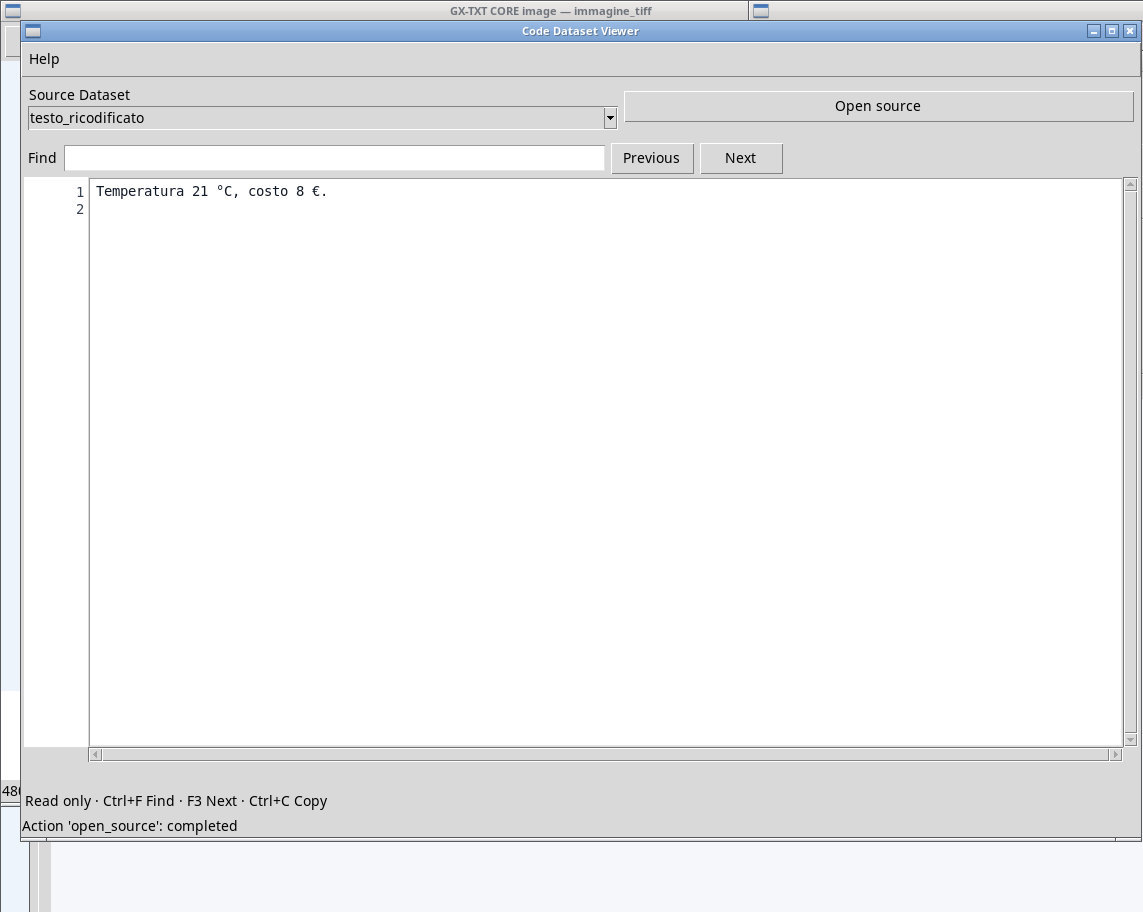
Code Dataset Viewer in P011-bis shows Canonical document is not valid UTF-8 with the Windows-1252 and UTF‑16 with BOM tests already published in Acquisition. Open a copy converted to UTF‑8 and published with a new ID. Reopen Code so that it reloads the list, choose Source Dataset and press Open source. In testo-copia-utf8.txt the € symbol remains readable.
Exercise files
- letture.txt (extract the ZIP first)
- calcolo.py (extract the ZIP first)
- calcolo-bom.py (extract the ZIP first)
- calcolo.m (extract the ZIP first)
- diagramma.puml (extract the ZIP first)
- testo-cp1252.txt (extract the ZIP first)
- testo-utf16.txt (extract the ZIP first)
- testo-copia-utf8.txt (extract the ZIP first)
Sources, licenses, and SHA-256
Screenshots
Open a screenshot to view it at full size.
Controls and settings
Scrollbar
Default Dataset ID
Default value in the basic configuration document.text.
Destination (Auto: Python Session script; .m requires explicit choice)
auto uses the classification and sends Python to the library when the type is supported. dataset publishes in the Dataset browser. session_script publishes a Script revision when language, encoding, and code are accepted. Default value in the basic configuration auto.
auto·autouses the classification and sends Python to the library when the type is supported.datasetpublishes in the Dataset browser.session_scriptpublishes a Script revision when language, encoding, and code are accepted.dataset·autouses the classification and sends Python to the library when the type is supported.datasetpublishes in the Dataset browser.session_scriptpublishes a Script revision when language, encoding, and code are accepted.session_script·autouses the classification and sends Python to the library when the type is supported.datasetpublishes in the Dataset browser.session_scriptpublishes a Script revision when language, encoding, and code are accepted.
Import as
auto detects the type, text_document forces the document destination if supported, and source_code asks for classification as code. Default value in the basic configuration auto.
auto·autodetects the type,text_documentforces the document destination if supported, andsource_codeasks for classification as code.text_document·autodetects the type,text_documentforces the document destination if supported, andsource_codeasks for classification as code.source_code·autodetects the type,text_documentforces the document destination if supported, andsource_codeasks for classification as code.
Language (detection override)
auto for automatic resolution, or indicate the content language. The destination determines whether the language can lead to Script registration. Default value in the basic configuration auto.
auto· Infers the language from type, extension, and content when supported.plaintext· Declares plain text or an unknown language. Check the resulting type from Import as and Destination in the Dataset.unknown· Declares plain text or an unknown language. Check the resulting type from Import as and Destination in the Dataset.python· Declares Python. With Destination set to auto or session_script it registers a Session revision. With dataset it publishes the source.tcl· Settclfor a source of this type. Check the classification and how it opens. The override keeps the content and sets the available interpretation.octave· Declares GNU Octave intent. For a .m file, use Destination session_script to register it or dataset to consult the source.matlab· Classifies the source explicitly. Use Destination dataset to keep it. Registration as a Session Script requires Python or GNU Octave to be declared.matlab-octave· Classifies the source explicitly. Use Destination dataset to keep it. Registration as a Session Script requires Python or GNU Octave to be declared.objective-c· Setobjective-cfor a source of this type. Check the classification and how it opens. The override keeps the content and sets the available interpretation.c· Setcfor a source of this type. Check the classification and how it opens. The override keeps the content and sets the available interpretation.cpp· Setcppfor a source of this type. Check the classification and how it opens. The override keeps the content and sets the available interpretation.c-cpp· Setc-cppfor a source of this type. Check the classification and how it opens. The override keeps the content and sets the available interpretation.bash· Setbashfor a source of this type. Check the classification and how it opens. The override keeps the content and sets the available interpretation.sh· Setshfor a source of this type. Check the classification and how it opens. The override keeps the content and sets the available interpretation.zsh· Setzshfor a source of this type. Check the classification and how it opens. The override keeps the content and sets the available interpretation.fish· Setfishfor a source of this type. Check the classification and how it opens. The override keeps the content and sets the available interpretation.powershell· Setpowershellfor a source of this type. Check the classification and how it opens. The override keeps the content and sets the available interpretation.batch· Setbatchfor a source of this type. Check the classification and how it opens. The override keeps the content and sets the available interpretation.javascript· Setjavascriptfor a source of this type. Check the classification and how it opens. The override keeps the content and sets the available interpretation.typescript· Settypescriptfor a source of this type. Check the classification and how it opens. The override keeps the content and sets the available interpretation.csharp· Setcsharpfor a source of this type. Check the classification and how it opens. The override keeps the content and sets the available interpretation.java· Setjavafor a source of this type. Check the classification and how it opens. The override keeps the content and sets the available interpretation.fortran· Setfortranfor a source of this type. Check the classification and how it opens. The override keeps the content and sets the available interpretation.rust· Setrustfor a source of this type. Check the classification and how it opens. The override keeps the content and sets the available interpretation.go· Setgofor a source of this type. Check the classification and how it opens. The override keeps the content and sets the available interpretation.r· Setrfor a source of this type. Check the classification and how it opens. The override keeps the content and sets the available interpretation.julia· Setjuliafor a source of this type. Check the classification and how it opens. The override keeps the content and sets the available interpretation.ruby· Setrubyfor a source of this type. Check the classification and how it opens. The override keeps the content and sets the available interpretation.perl· Setperlfor a source of this type. Check the classification and how it opens. The override keeps the content and sets the available interpretation.prolog· Setprologfor a source of this type. Check the classification and how it opens. The override keeps the content and sets the available interpretation.perl-prolog· Setperl-prologfor a source of this type. Check the classification and how it opens. The override keeps the content and sets the available interpretation.lua· Setluafor a source of this type. Check the classification and how it opens. The override keeps the content and sets the available interpretation.php· Setphpfor a source of this type. Check the classification and how it opens. The override keeps the content and sets the available interpretation.sql· Setsqlfor a source of this type. Check the classification and how it opens. The override keeps the content and sets the available interpretation.make· Setmakefor a source of this type. Check the classification and how it opens. The override keeps the content and sets the available interpretation.cmake· Setcmakefor a source of this type. Check the classification and how it opens. The override keeps the content and sets the available interpretation.dockerfile· Setdockerfilefor a source of this type. Check the classification and how it opens. The override keeps the content and sets the available interpretation.json· Setjsonfor a source of this type. Check the classification and how it opens. The override keeps the content and sets the available interpretation.yaml· Setyamlfor a source of this type. Check the classification and how it opens. The override keeps the content and sets the available interpretation.toml· Settomlfor a source of this type. Check the classification and how it opens. The override keeps the content and sets the available interpretation.ini· Setinifor a source of this type. Check the classification and how it opens. The override keeps the content and sets the available interpretation.xml· Setxmlfor a source of this type. Check the classification and how it opens. The override keeps the content and sets the available interpretation.html· Sethtmlfor a source of this type. Check the classification and how it opens. The override keeps the content and sets the available interpretation.css· Setcssfor a source of this type. Check the classification and how it opens. The override keeps the content and sets the available interpretation.markdown· Setmarkdownfor a source of this type. Check the classification and how it opens. The override keeps the content and sets the available interpretation.rst· Setrstfor a source of this type. Check the classification and how it opens. The override keeps the content and sets the available interpretation.tex· Settexfor a source of this type. Check the classification and how it opens. The override keeps the content and sets the available interpretation.gitignore· Setgitignorefor a source of this type. Check the classification and how it opens. The override keeps the content and sets the available interpretation.
Encoding (auto = BOM / Python cookie / UTF-8)
auto uses the BOM, the Python encoding cookie, or UTF‑8, depending on the file. Preview lets you check the characters. Default value in the basic configuration auto.
auto· Useautoonly if it matches the input bytes. Check non-ASCII characters in Preview.utf-8· Useutf-8only if it matches the input bytes. Check non-ASCII characters in Preview.utf-8-sig· Useutf-8-sigonly if it matches the input bytes. Check non-ASCII characters in Preview.ascii· Useasciionly if it matches the input bytes. Check non-ASCII characters in Preview.utf-16· Useutf-16only if it matches the input bytes. Check non-ASCII characters in Preview.utf-16-le· Useutf-16-leonly if it matches the input bytes. Check non-ASCII characters in Preview.utf-16-be· Useutf-16-beonly if it matches the input bytes. Check non-ASCII characters in Preview.utf-32· Useutf-32only if it matches the input bytes. Check non-ASCII characters in Preview.utf-32-le· Useutf-32-leonly if it matches the input bytes. Check non-ASCII characters in Preview.utf-32-be· Useutf-32-beonly if it matches the input bytes. Check non-ASCII characters in Preview.cp1252· Usecp1252only if it matches the input bytes. Check non-ASCII characters in Preview.iso-8859-1· Useiso-8859-1only if it matches the input bytes. Check non-ASCII characters in Preview.