

Creating import recipes and projects
Configure a CSV importer, validate parsing and mapping on real files, and save the recipe or project for reuse.
Create a CSV recipe
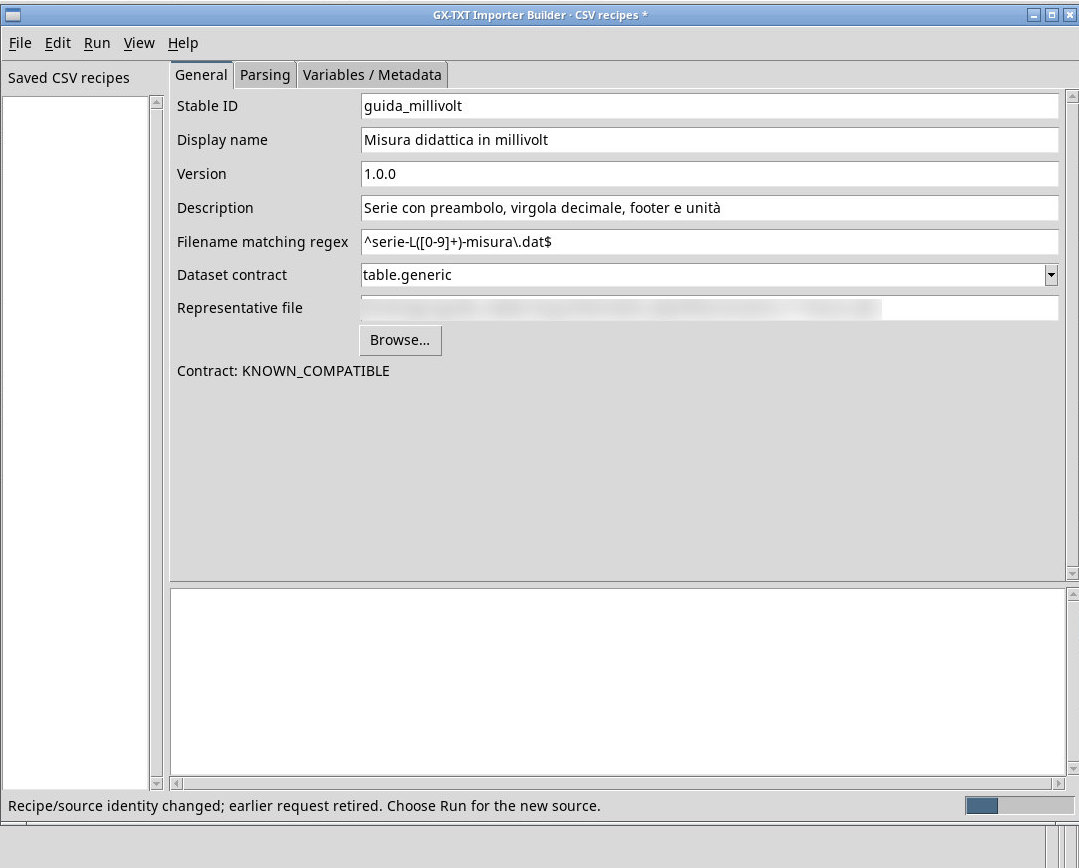
- Open Importer tools → Importer Builder… and choose File → New recipe. In General, set the name and a reusable Stable ID. Enter the version and description, and use Filename matching regex to restrict accepted filenames. In Representative file, choose a file that represents the real layout. Check Contract to see whether a CSV recipe can produce that contract.
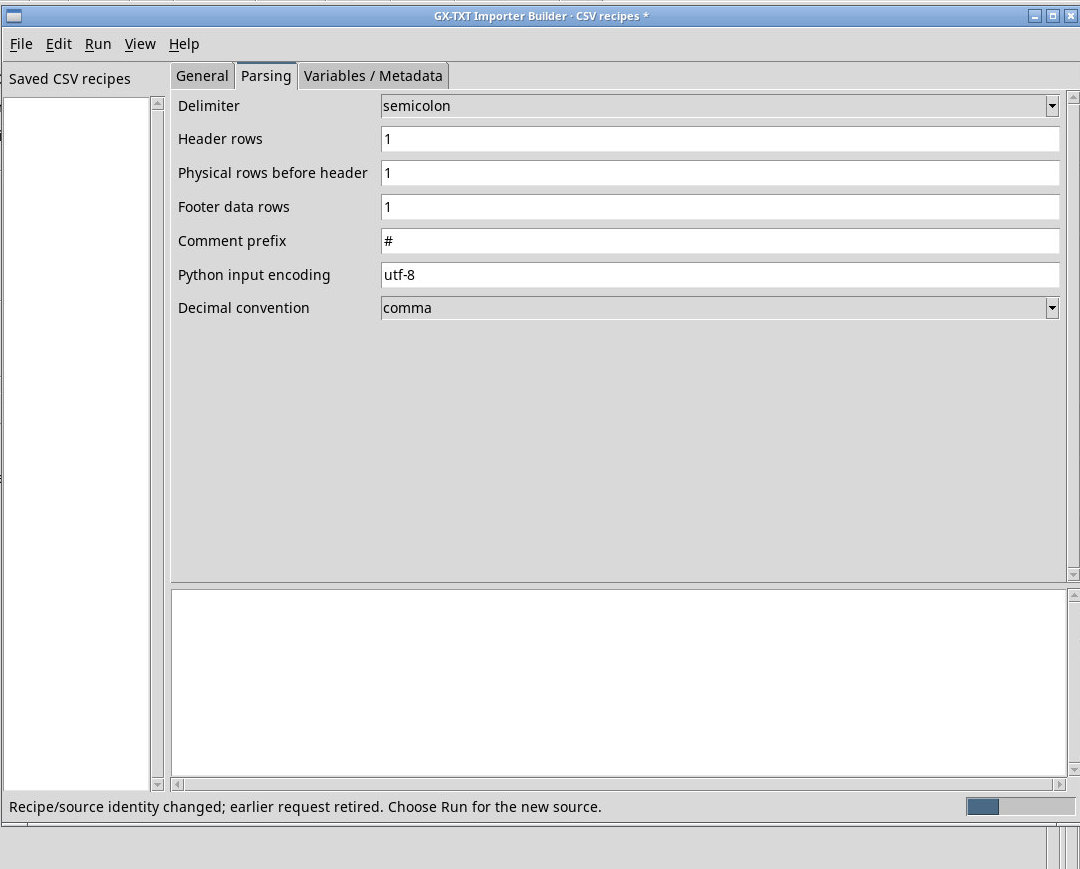
- In the parser tab, set the delimiter, header position, preamble and footer rows, comment prefix, encoding, and decimal separator. The preamble count refers to physical lines. Verify that the example uses a field delimiter distinct from its decimal comma.
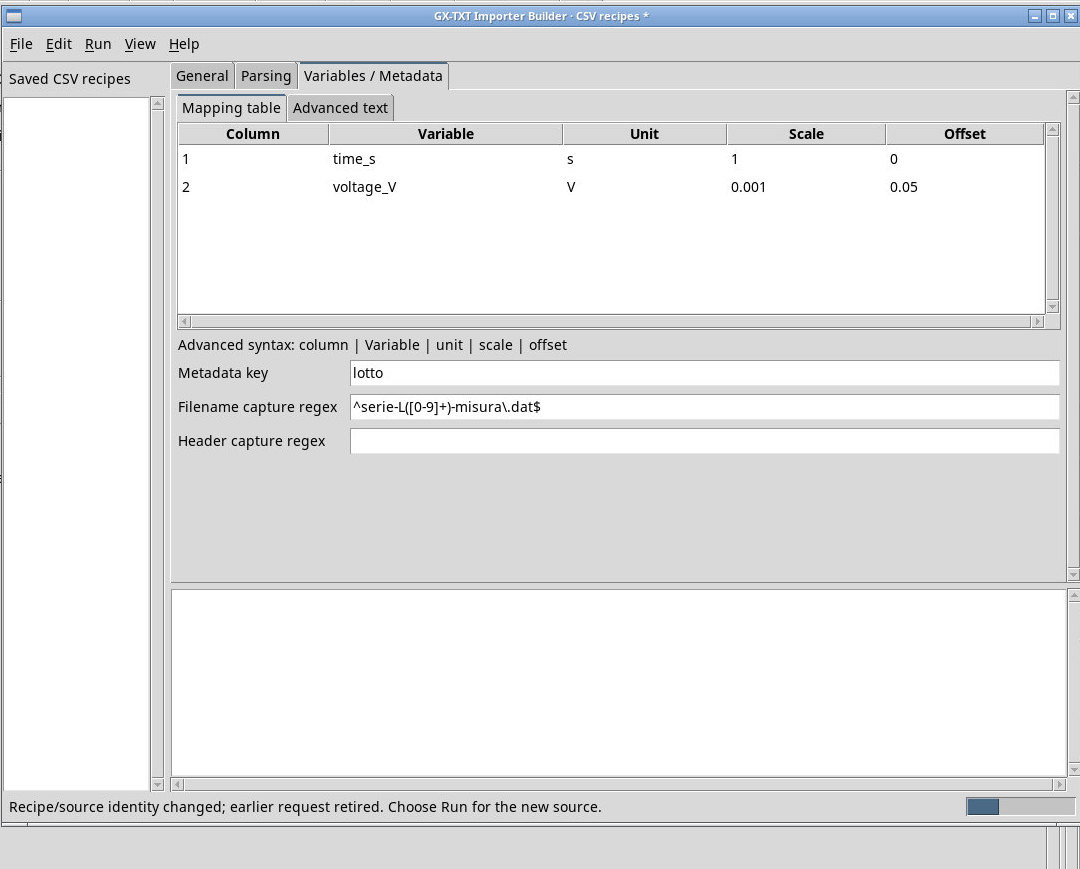
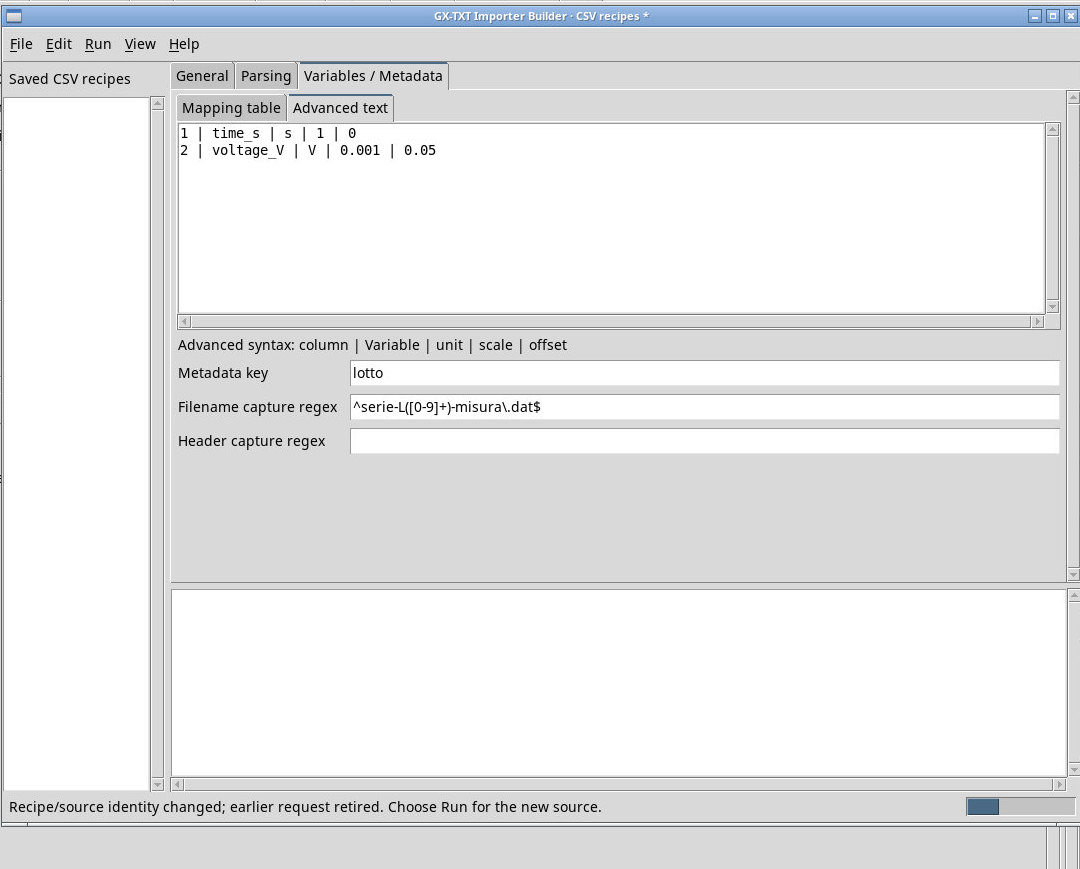
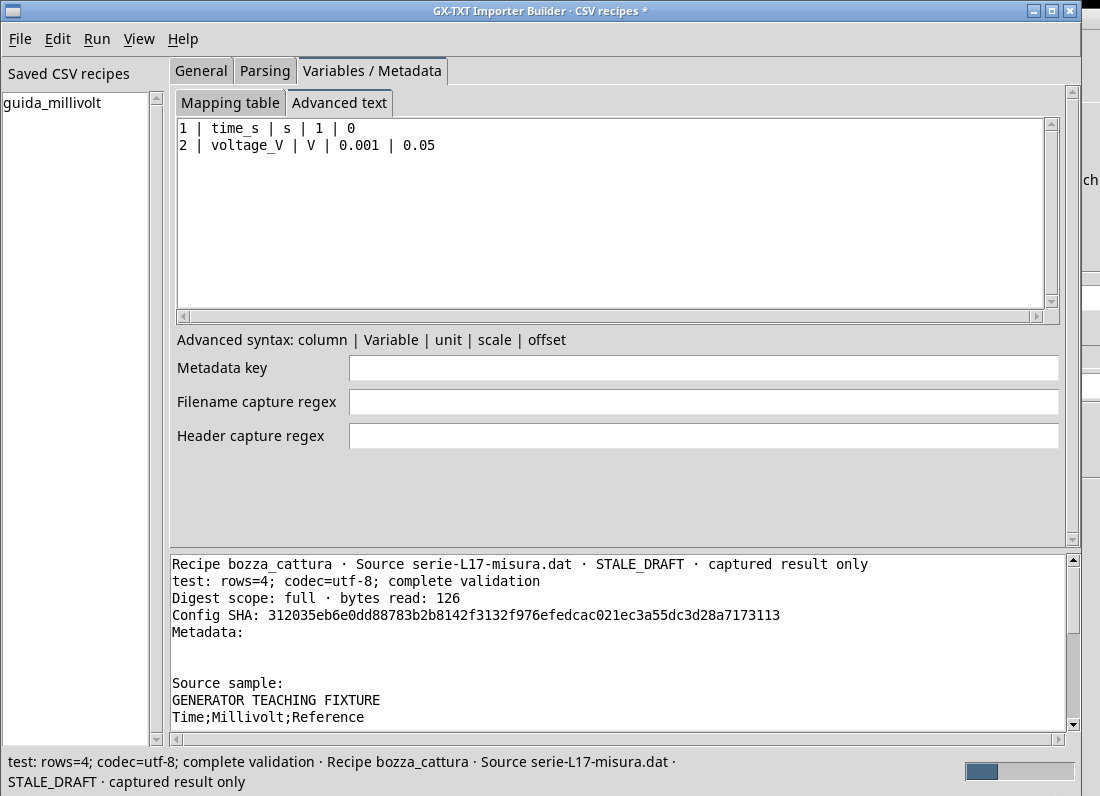
- In Mapping table, use Edit → Add mapping… for each column. The five fields are Column, Variable, Unit, Scale, and Offset. The canonical value is source × Scale + Offset. Use the Edit menu to change, remove, or reorder mappings. The equivalent form in Advanced text is
column | Variable | unit | scale | offset. - To retain a property extracted from the filename or header, define Metadata key and a regular expression with a first capture group. Use a sample with a recognizable value and check the value after publication.
Test, save, and reuse the recipe
Run → Preview source (bounded) processes a sample. Test complete parser checks the entire file, so errors in later rows can appear only at that step. Use Cancel request to interrupt a request when available. Before saving, check the draft status and confirm that the result corresponds to the current settings. Preview and Test create no Dataset.
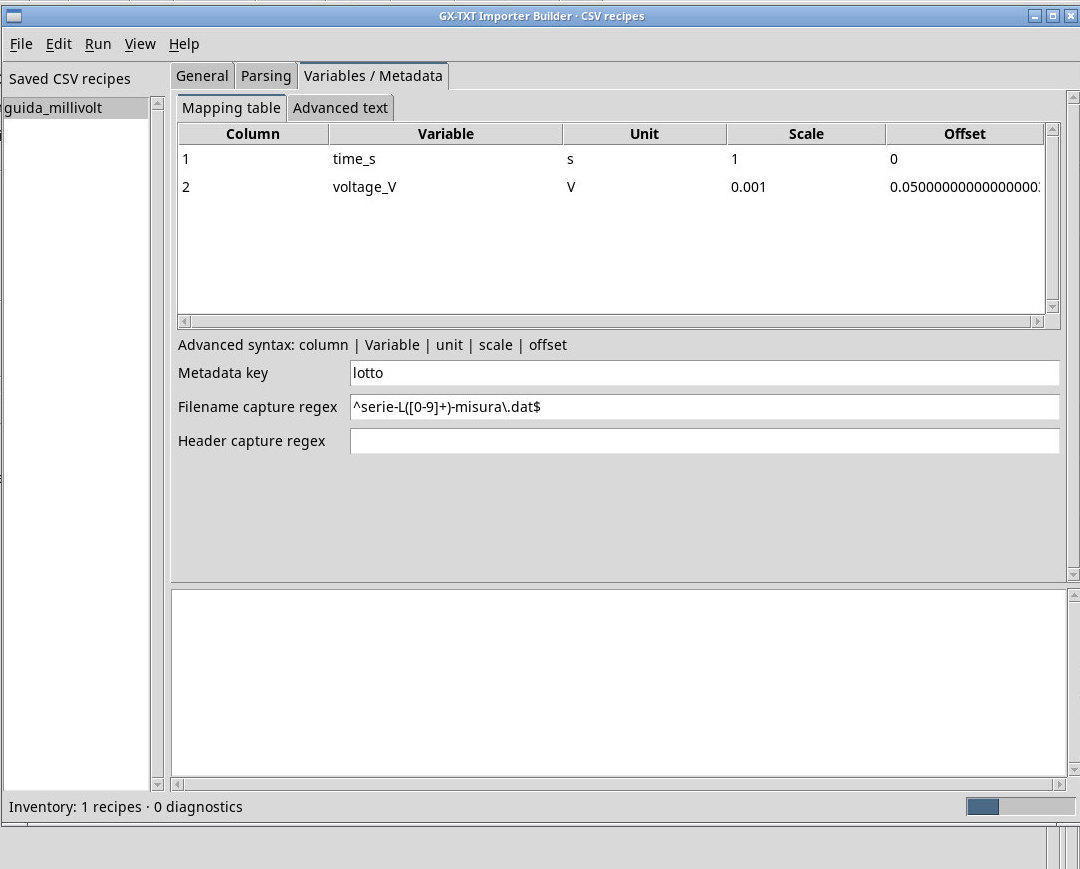
File → Save saves the recipe to the profile. Duplicate prompts for a new ID, saves the copy under that ID, and opens it for editing. Use Export definition… to create a portable INI. Import definition… registers the definition in the profile and loads it in the editor. If the same ID is already present, the Builder can refuse the overwrite and keep the current definition. Remove removes a saved definition, Reload definition inventory reloads the inventory, and Close closes the editor. For help, choose Recipe workflow and limits from the menu.
Return to Acquisition, refresh the list, and select the recipe under Custom importers. Queue the sample or use Folder… with filenames accepted by the regular expression. Import, open the canonical table, and check the recipe reference and hash in Provenance. If the recipe changed after you queued the file, review the source and add it again under the current recipe before retrying.
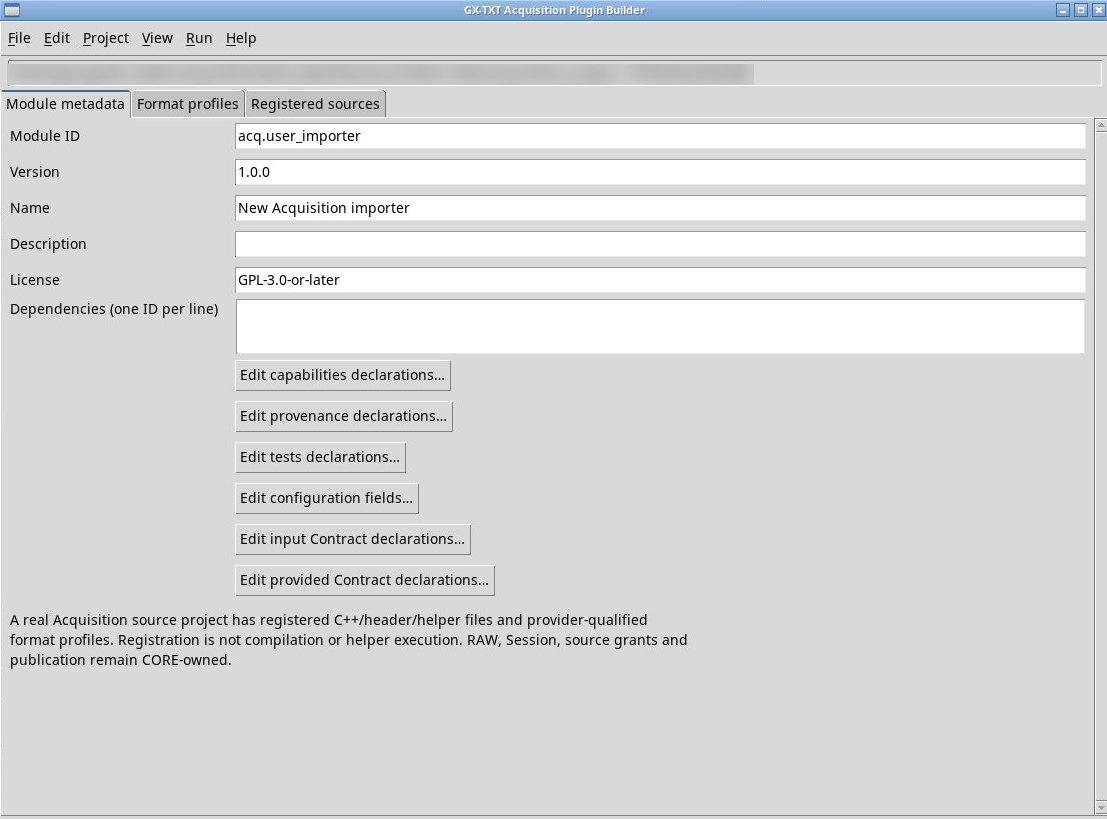
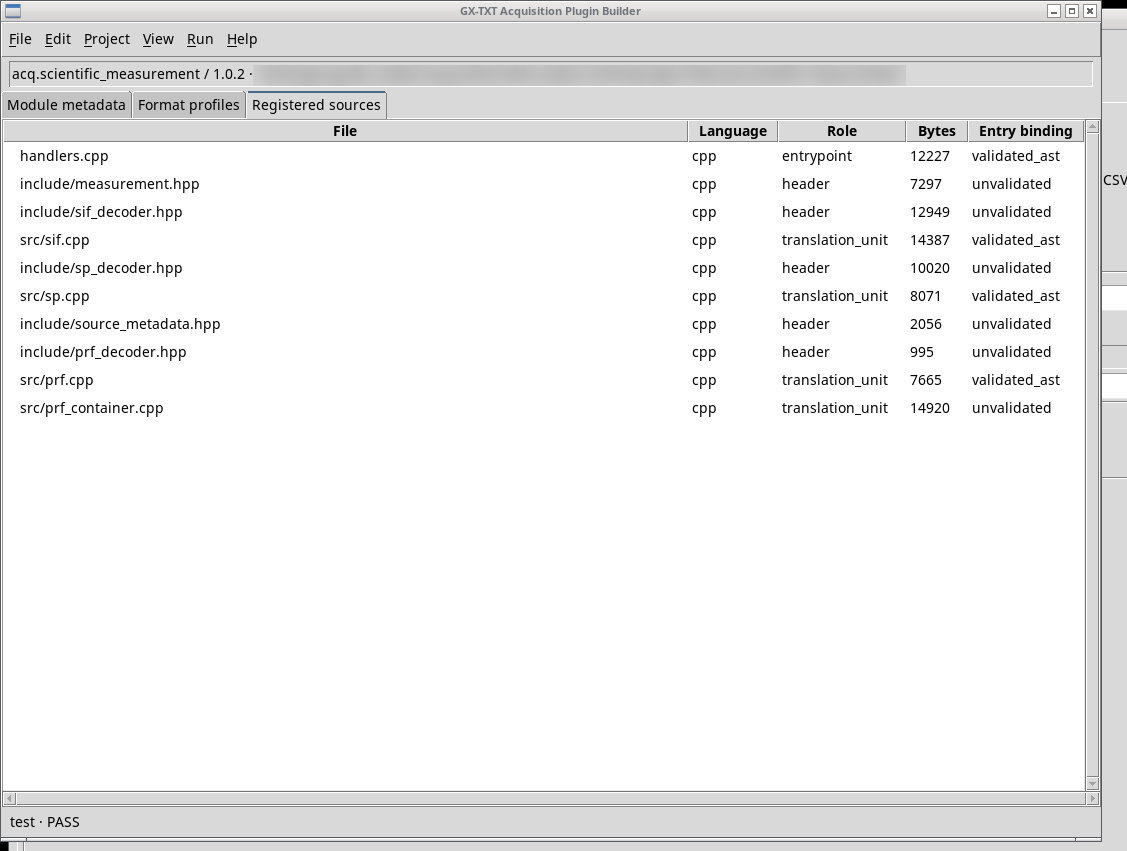
Open Acquisition Plugin Builder
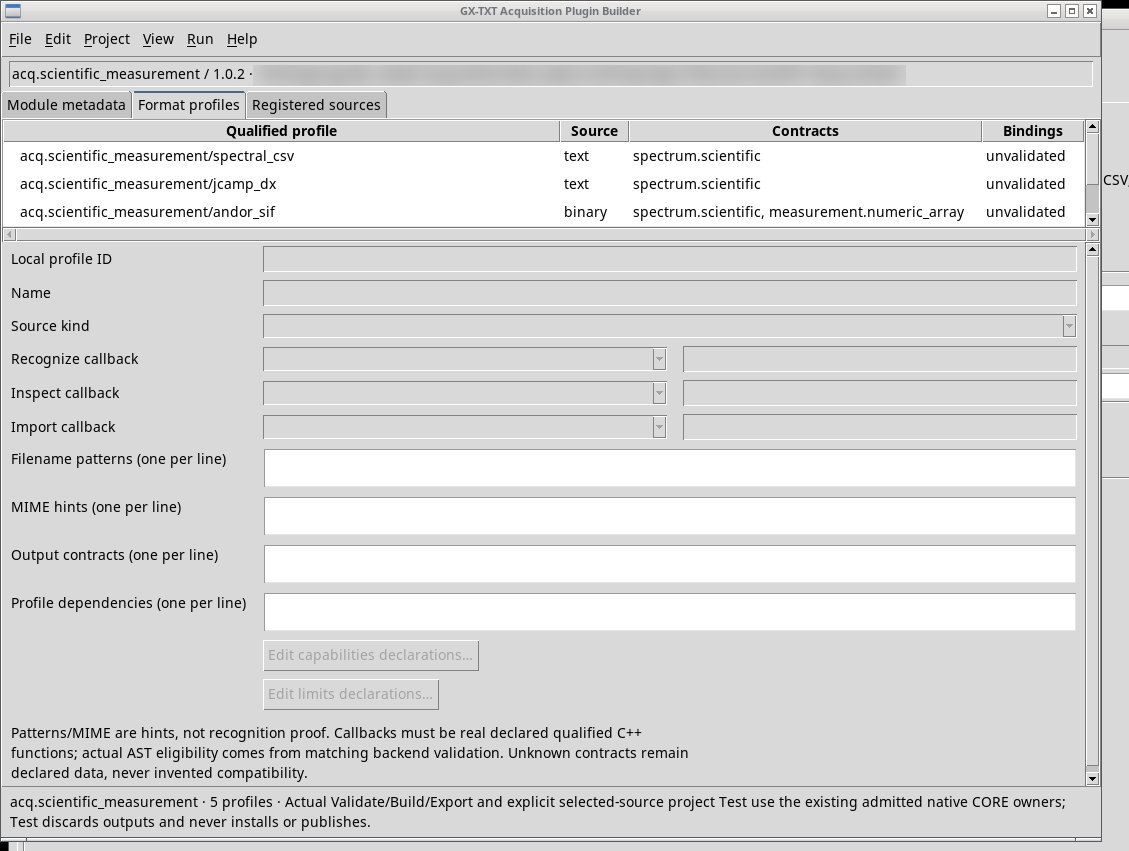
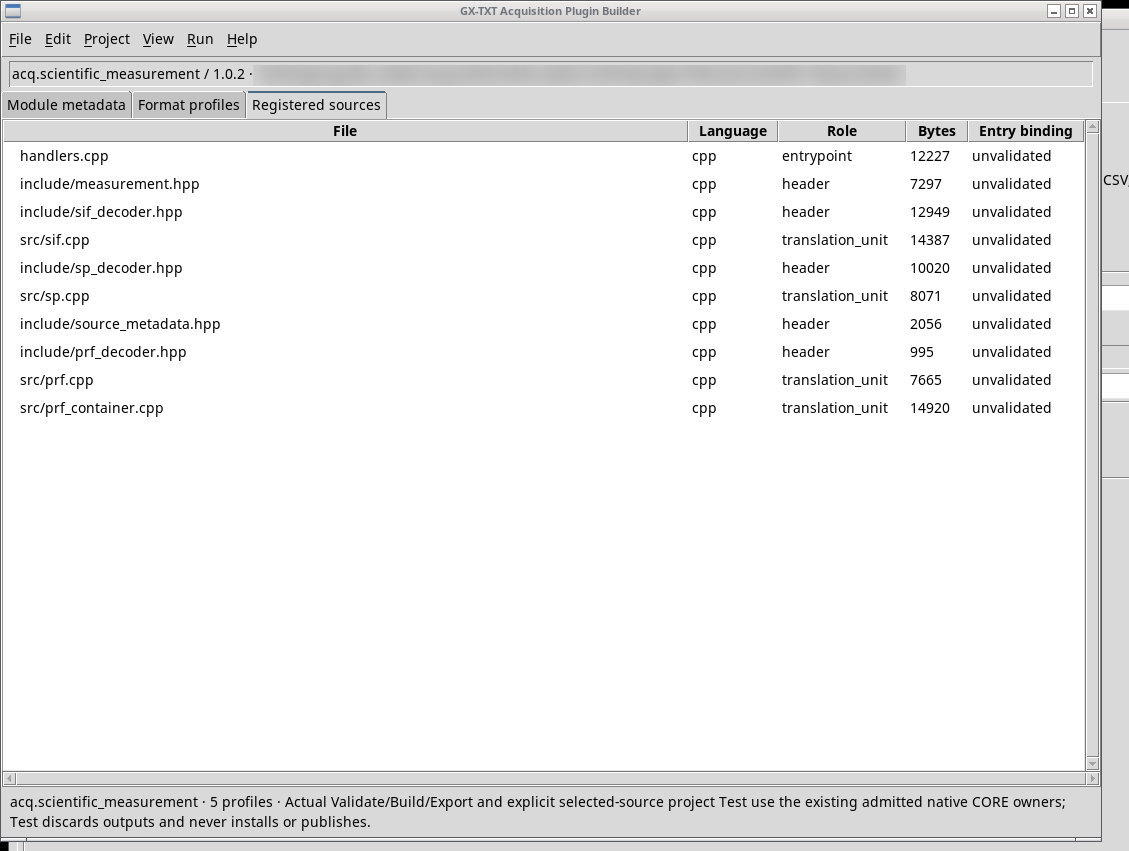
File → New Acquisition plugin project… or Open Acquisition plugin project… opens a separate native-project editor. Describe the module in Module metadata, the profiles in Format profiles, and the source files in Registered sources. Keep the project in a writable working directory. Validate checks declarations, Build requires a compatible toolchain, Test requires a sample and profile, and Export candidate exports a candidate. Cancel is available while a compatible request is running. A candidate project follows a separate workflow from a CSV recipe saved in the profile.
Millivolts, decimal commas, and batch IDs in filenames
- Use
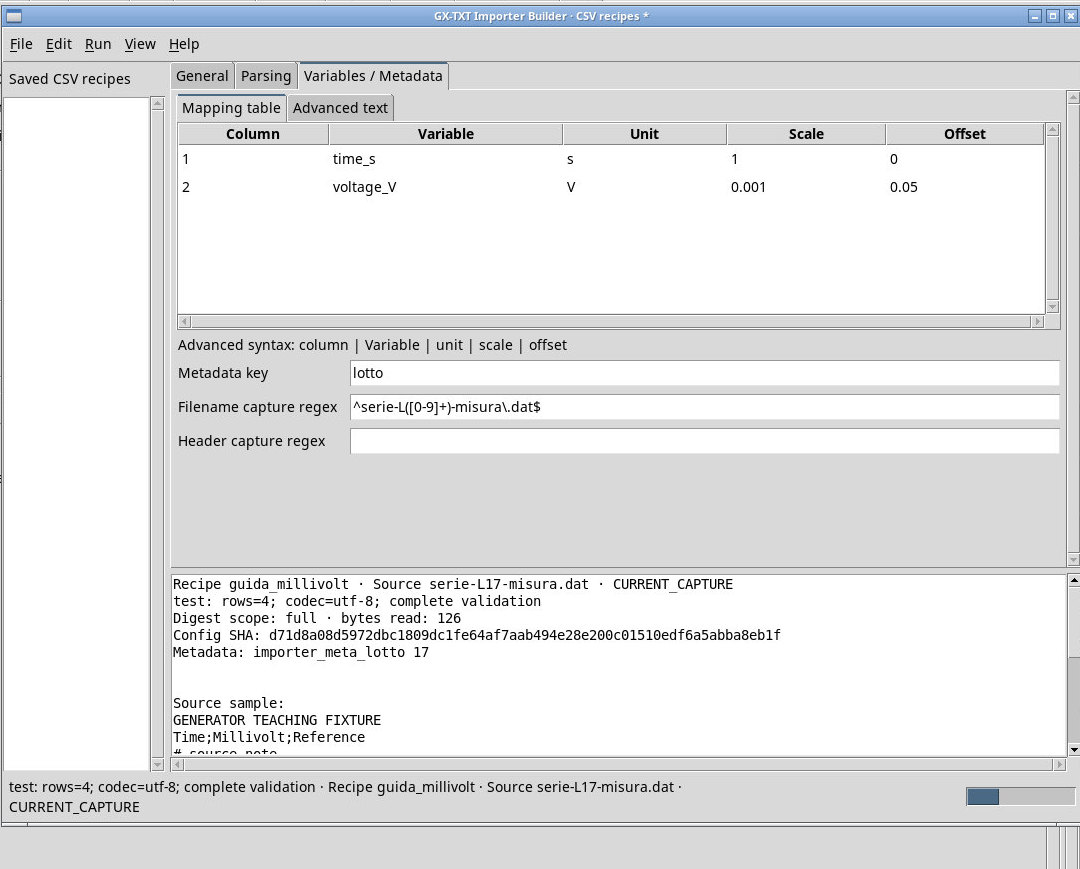
serie-L17-misura.dat. The admission regex is^serie-L([0-9]+)-misura\.dat$. Set Metadata key tolottoand reuse the same regex in Filename capture regex to keep17. - In Parsing set
semicolon, Header rows 1, Physical rows before header 1, Footer data rows 1, Comment prefix#, Python input encodingutf-8, Decimal conventioncomma. - In Advanced text, enter
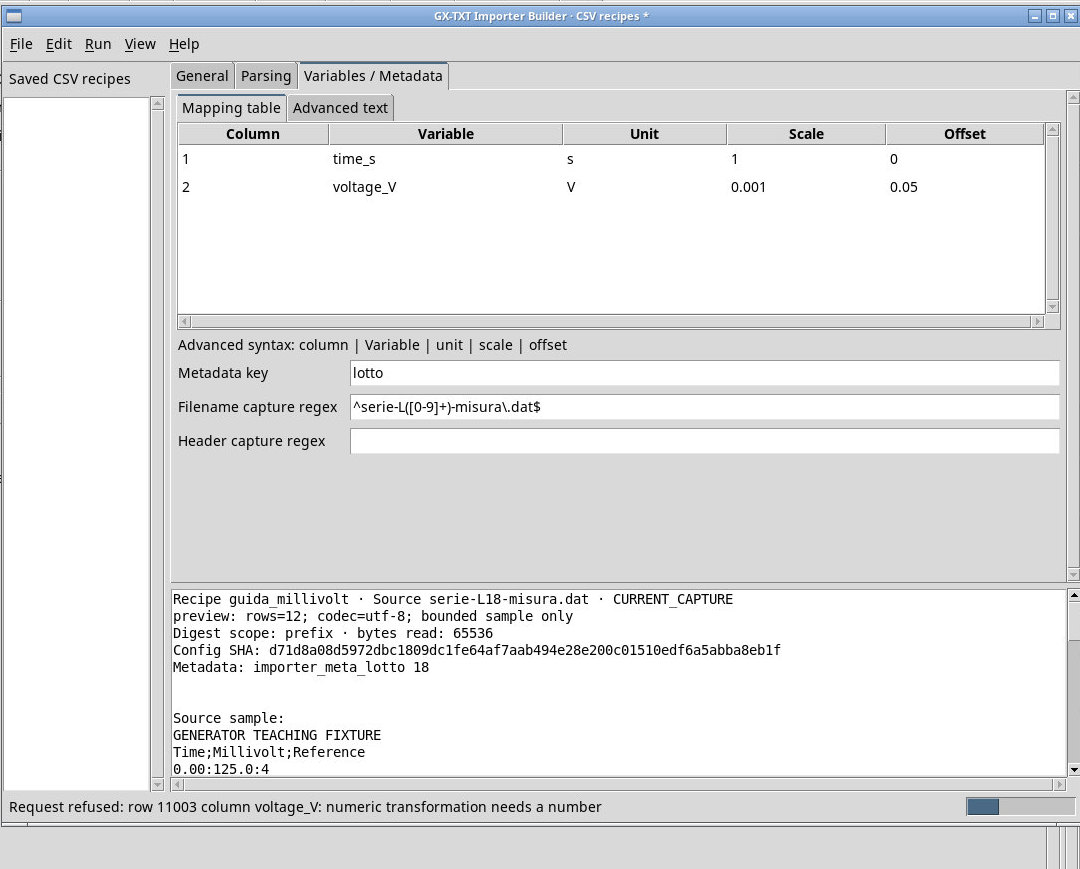
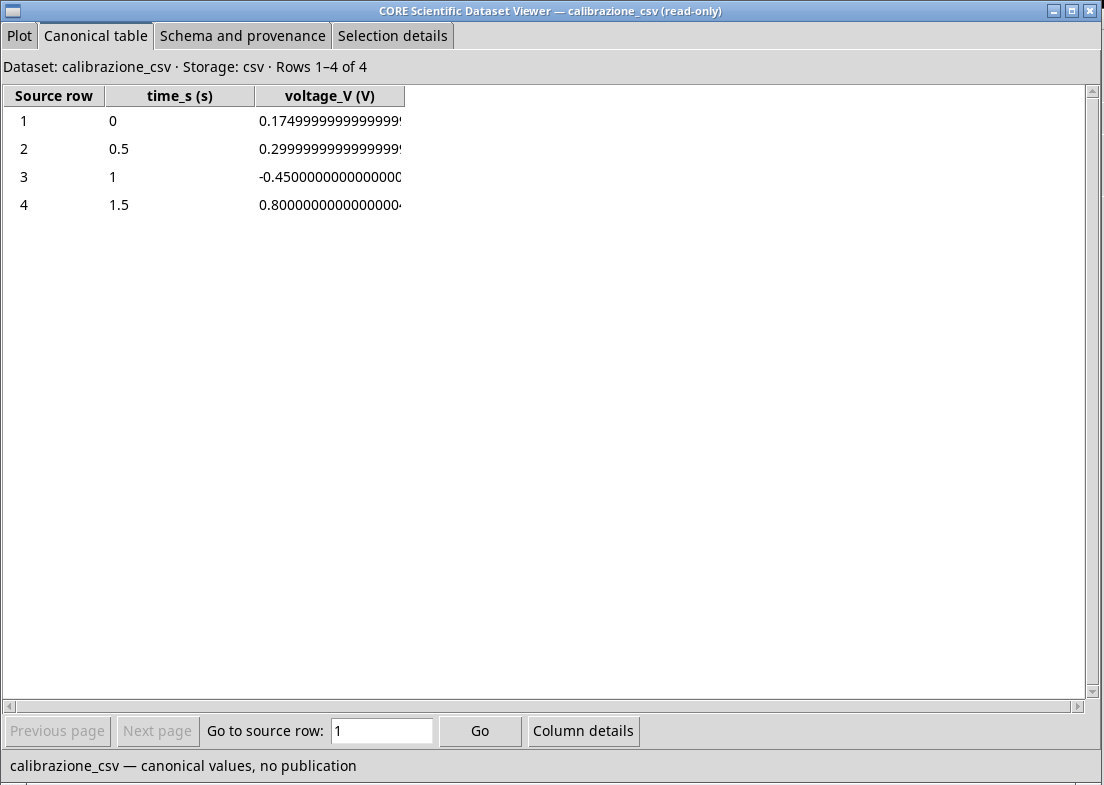
1 | time_s | s | 1 | 0and2 | voltage_V | V | 0.001 | 0.05on separate lines. Return to the table and check the five fields. The first canonical value is 125.0 × 0.001 + 0.05 = 0.175 V. Column 3 is excluded from the mapping. - Click Preview source (bounded) and Test complete parser. The short file passes with four rows. The file
serie-L18-misura.datcontains an invalid cell near the end that prevents the Test from passing. Preview shows the first twelve rows. Restore the L17 file and save, then select the Misura didattica in millivolt recipe in Acquisition. Import with IDcalibrazione_csvand check the four rows, names, units, batch ID, and actual configuration.
Contract: KNOWN_COMPATIBLE means the table contract is recognized. INCOMPATIBLE_TABLE means the contract is known but incompatible with a CSV table. UNKNOWN_UNAVAILABLE means the ID or provider is unavailable. Correct the field before testing the parser. The result CURRENT_CAPTURE identifies the draft and source current at capture time. Run the request again if you change the settings after capture.
On a minimal native project saved without profiles, Validate starts and reports that at least one real profile is required. Build and Export candidate remain unavailable. Test reports that you must save a profile first. Register source files under Registered sources and check bindings and callbacks before retrying.
Validate, build, test, and export a real project
Use Open Acquisition plugin project… on a writable copy of the Scientific measurement module’s source directory from the installation. Open Module metadata and verify the ID, version, and dependencies. Format profiles lists five profiles. Registered sources shows declared files, roles, sizes, and bindings. A valid association between the registered C++ file and the recognize, inspect, and import symbols is required for callbacks. Correct and save an invalid change before running the test.
- Use Validate and wait for PASS. After Build checks BUILT.
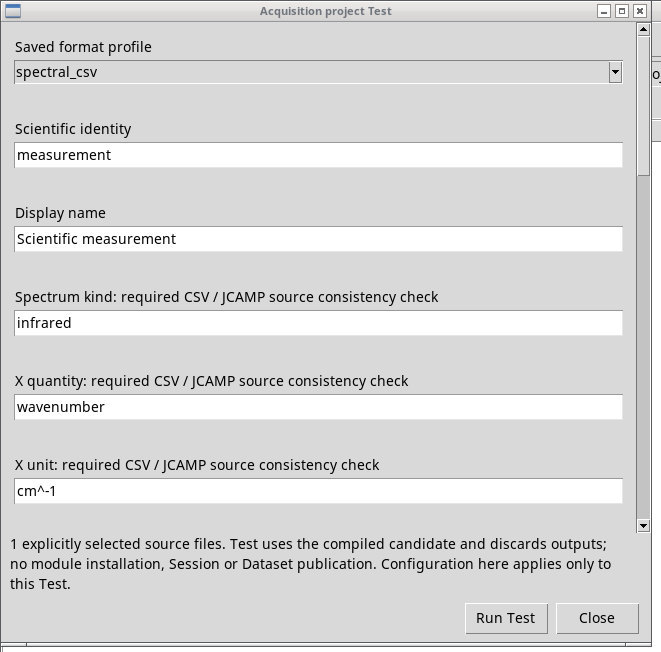
- Open Test, choose
spettro-ir.csv, selectspectral_csv, and enter the semantic settings from Scientific measurement. Click Run Test. The test returns PASS and discards its temporary outputs. The project retains its saved settings. - Export candidate returns CANDIDATE_EXPORTED and reports the ZIP in the project directory. The candidate appears in the tree only after the normal installation workflow.
In the recipe pane, edit a descriptive field during Test without changing the source. STALE_DRAFT · captured result only identifies the result for the settings captured when the request started. Run the test again to update the result. During a long request, Cancel request stops the parser. Neither the test nor its cancellation publishes a Dataset to the Session.
To capture from the header instead of the filename, leave Filename capture regex blank, set Metadata key to header_token, and set Header capture regex to Time;(Millivolt);Reference. Test displays importer_meta_header_token Millivolt in the captured properties.
Exercise files
- serie-L17-misura.dat (extract the ZIP first)
- serie-L18-misura.dat (extract the ZIP first)
- ricetta-millivolt.ini (extract the ZIP first)
Sources, licenses, and SHA-256
Screenshots
Open a screenshot to view it at full size.
Controls and settings
Split-pane area
Scrollbar
Saved CSV recipes
Split-pane area
Builder tabs
Scrollbar
Stable ID
Display name
Version
Description
Filename matching regex
Dataset contract
(catalogo dinamico)· The entries come from the contracts visible in the installation. Check the name, conditions, and origin in Contracts…, and any Other… option in the working view.