Lesson 01 — Your First GNU Octave Script in GX-TXT

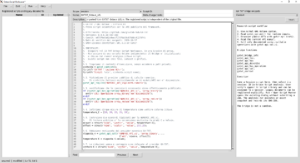
Octave Script Workspace editor with script code and the Scope, Name, Script ID, and Description fields.

In this first lesson, you will learn how to write and run a GNU Octave script directly in GX-TXT. We will open Octave Script Workspace, import an `.m` file or type the code in the editor, assign a Script ID, and launch the script. Using the public Script Bridge APIs, we will convert five temperature readings to kelvin, calculate their mean, and inspect the results and execution log in the Session.

#GNU Octave #GX-TXT #numerical analysis #Octave Script Workspace #Octave scripts #Octave tutorial #public APIs #scientific computing #scientific programming #Script Bridge

Published by giux · No comments
OpenFOAM on a Linux server, working from Windows: SSH, FileZilla, PowerShell, logs and ParaView client/server

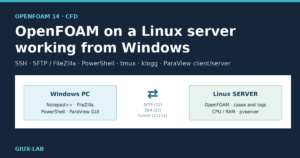
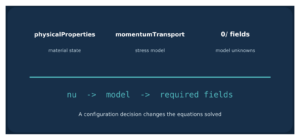
Cover: OpenFOAM on a Linux server working from Windows with SSH, SFTP, PowerShell, tmux, klogg and ParaView

An operating guide to using OpenFOAM 14 installed on a Linux server while working from a Windows PC: preparing cases in Notepad++, SFTP transfers with FileZilla, running over SSH from PowerShell with tmux, inspecting logs with klogg and visualizing results with ParaView connected to pvserver through an SSH tunnel.

#CFD #FileZilla #Linux server #OpenFOAM #ParaView #SSH #tmux

Published by giux · No comments