

Typed parameters and single-invocation parameters
A GNU Octave script can receive numeric, logical or enumerated parameters through GX-TXT Script Runner. You need to distinguish parameters declared in the code and registered together with the source from those added only to the single invocation. The two groups use the same validation rules, but they do not have the same lifetime or the same origin.
The guide refers to GX-TXT DEV112 with patch P005, Octave Script Workspace 1.8.3. The labels remain in English as in the application. The numbers are synthetic and illustrate the preparation of a script: no Octave execution is started and no computation Job is created.
1. Declaring Parameters in the Source with gxtxt_parameter_declare
The public API gxtxt_parameter_declare declares a name, a type and a sequence of literal options. For example, the script can specify the multiplier of a signal, the number of samples and an operating mode:
% Declare typed parameters; scientific code is not executed during Save.
gxtxt_parameter_declare('gain', 'double', 'default', 2.0, ...
                        'min', 0.0, 'max', 5.0, ...
                        'description', 'Synthetic signal scale');

gxtxt_parameter_declare('samples', 'integer', 'default', 5, ...
                        'min', 1, 'max', 10, ...
                        'description', 'Count of synthetic samples');

gxtxt_parameter_declare('method', 'choice', 'default', 'linear', ...
                        'values', {'linear', 'robust'}, ...
                        'description', 'Synthetic processing choice');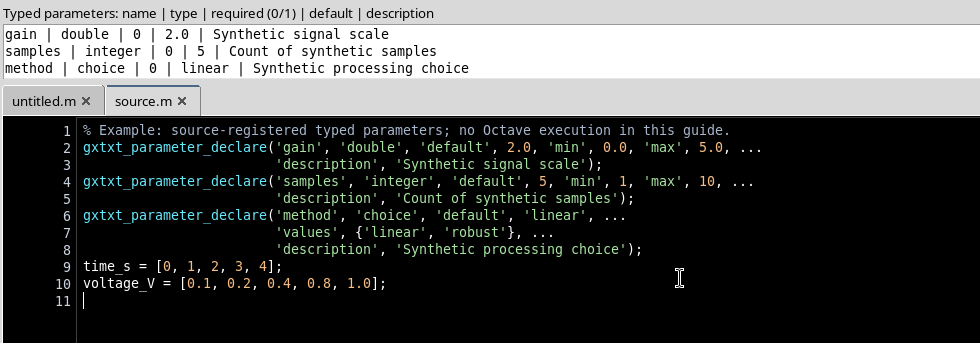
The names gain, samples and method are parameter identifiers, not Datasets. default specifies the initial value; min and max bound the numbers; values lists the possibilities of the choice type.
2. Saving the Script and Opening the Typed Controls
With File → Save, GX-TXT statically analyses the declarations in the source. This analysis does not execute the Octave statements. The accepted definitions are kept in the script registration with their type, constraints and source origin.
Then open Run → Open Script Runner…. The Invocation parameters section shows the three fields with their initial values:
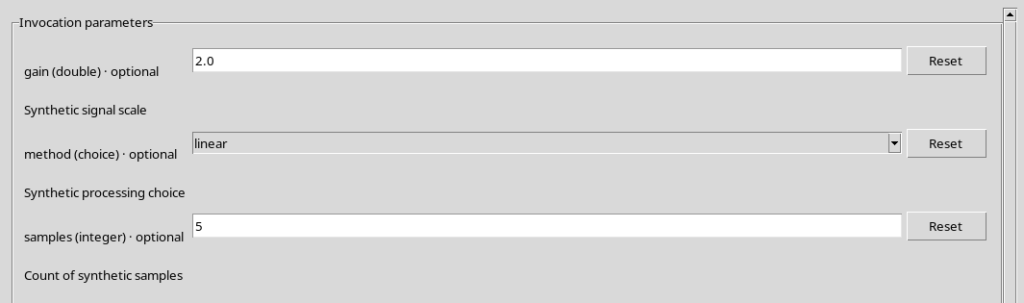
| Parameter | Type | Default | Rule |
|---|---|---|---|
gain | double | 2.0 | From 0 to 5, endpoints included |
samples | integer | 5 | Integer from 1 to 10 |
method | choice | linear | linear or robust |
Reset returns the single field to the declared default value. The parameters can be changed to prepare the call; changing them in the Runner does not rewrite the definition saved in the Source.
3. Validating Numeric Values
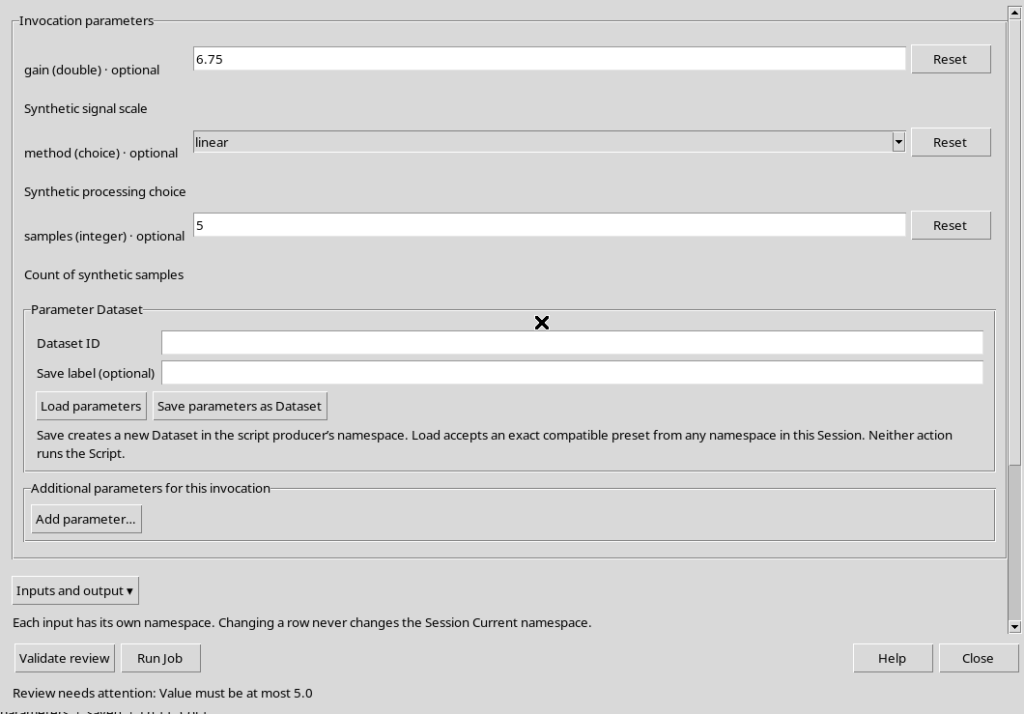
Enter 6.75 in the gain field. Since the declared maximum is 5.0, the Validate review button rejects the preparation with the message Value must be at most 5.0.
Press Reset on gain, then enter 3.5 in the integer field samples. The Runner answers Enter an integer: a fractional number cannot be accepted simply because it is numeric.
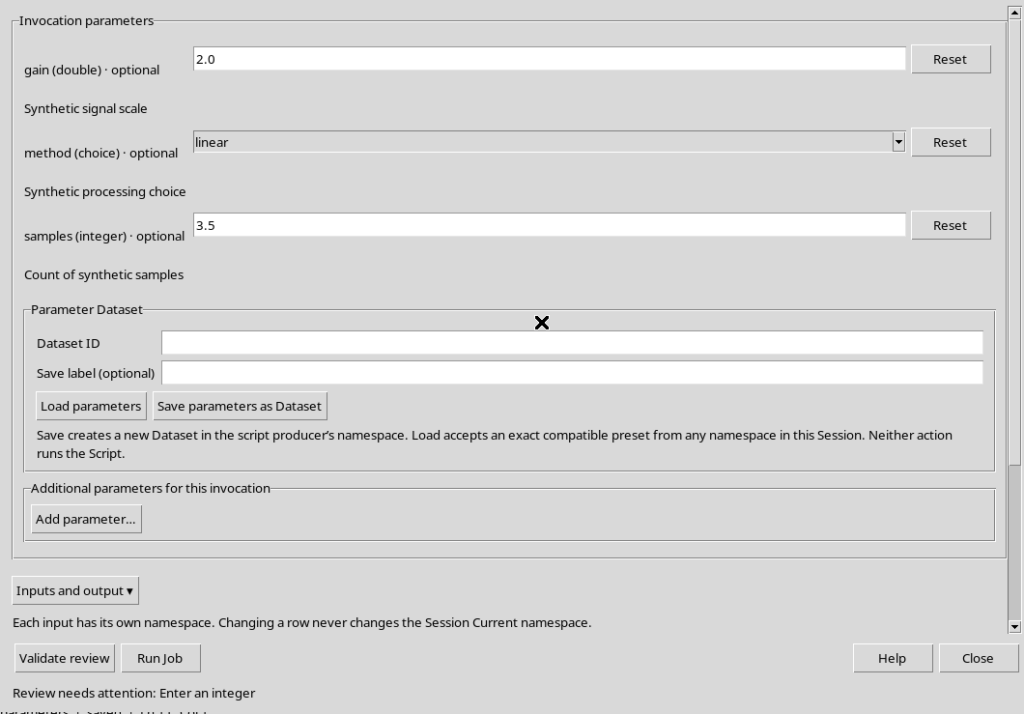
The two checks distinguish the type from the value domain: first a value of the correct type is required, then it is checked that it belongs to the allowed range.
4. Checking Enumerated Choices and a Valid Review
The choice type presents a selectable list. For method the declared options are linear and robust. A different value does not pass validation: the interface asks to Choose one of: linear, robust.
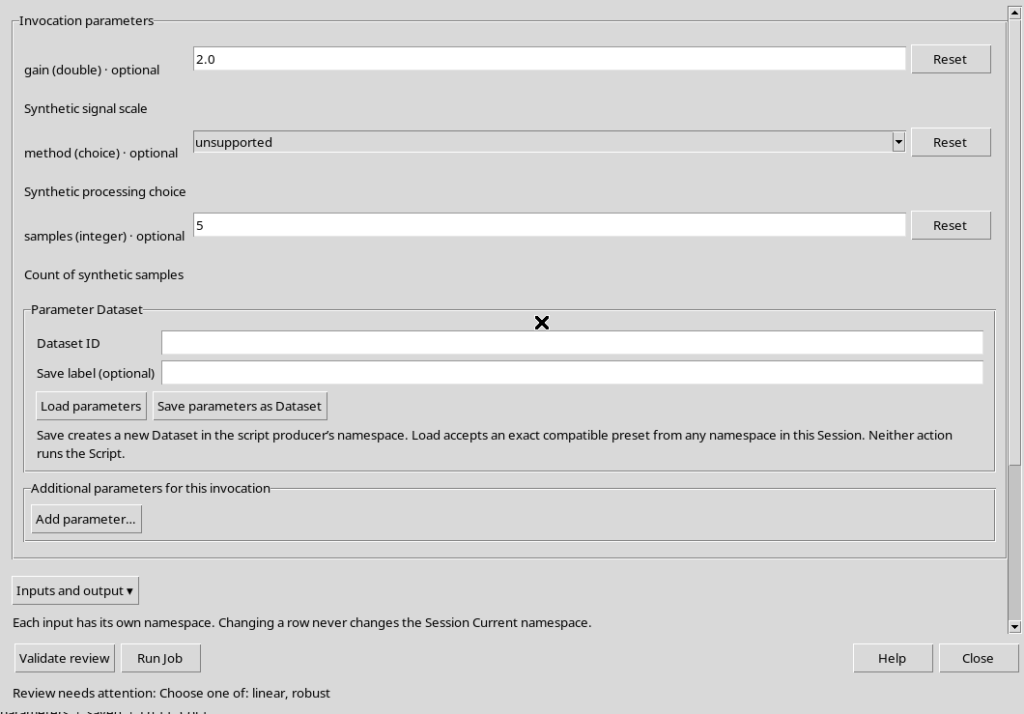
Set consistent values, for example gain = 3.5, samples = 7 and method = robust, then choose Validate review. The answer Review valid. No Job submitted confirms that the preparatory check succeeded.
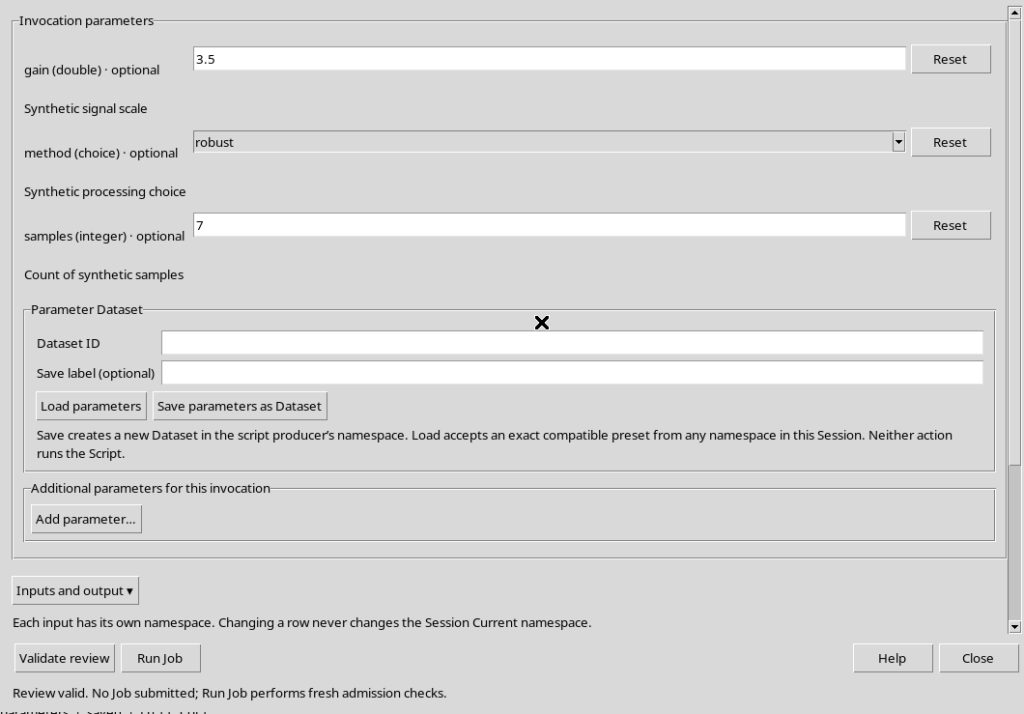
Validate review is not Run Job. The check does not compute the series, does not modify the registered source and does not publish a Dataset.
5. Adding a Parameter Only to the Invocation
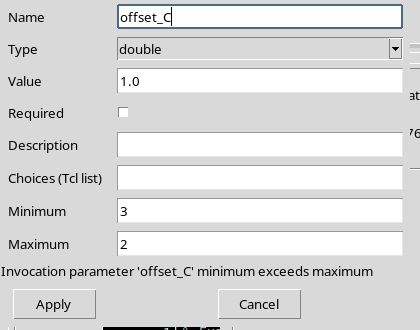
In the Additional parameters for this invocation section, use Add parameter…. The Add invocation parameter dialog opens with the fields Name, Type, Value, Required, Description, Choices (Tcl list), Minimum and Maximum.
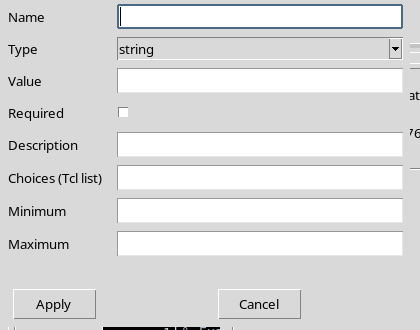
The types offered by the GUI include string, integer, double, number, boolean, choice, color, path, file and command. Numeric limits apply to numeric types; Choices is used by the choice type. The Required control indicates whether the parameter must hold a valid value in the next check. You do not need to add this parameter to the .m file to be able to set it in the Runner.
6. Avoiding Conflicts with Already Declared Names
Try adding an invocation parameter that is again called gain. The GUI does not overwrite it: Apply rejects the duplicate name, reporting Invocation parameter ‘gain’ duplicates a saved declaration.
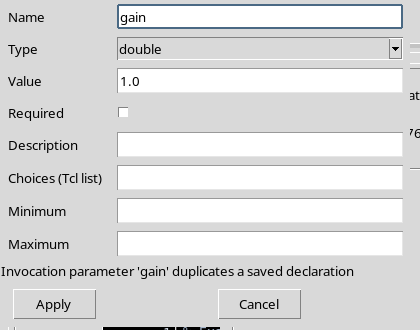
To change the type, the default or the limits of gain, you must modify its declaration in the Source and save a new revision. For a parameter that belongs only to the invocation, choose a different identifier instead.
7. Setting Consistent Limits and Applying a Manual Parameter
You can, for example, add offset_C of type double, with value 0.5 and an allowed range from -2 to 2. The limits are also checked when the definition is created.
If Minimum = 3 and Maximum = 2, Apply rejects the row with minimum exceeds maximum.
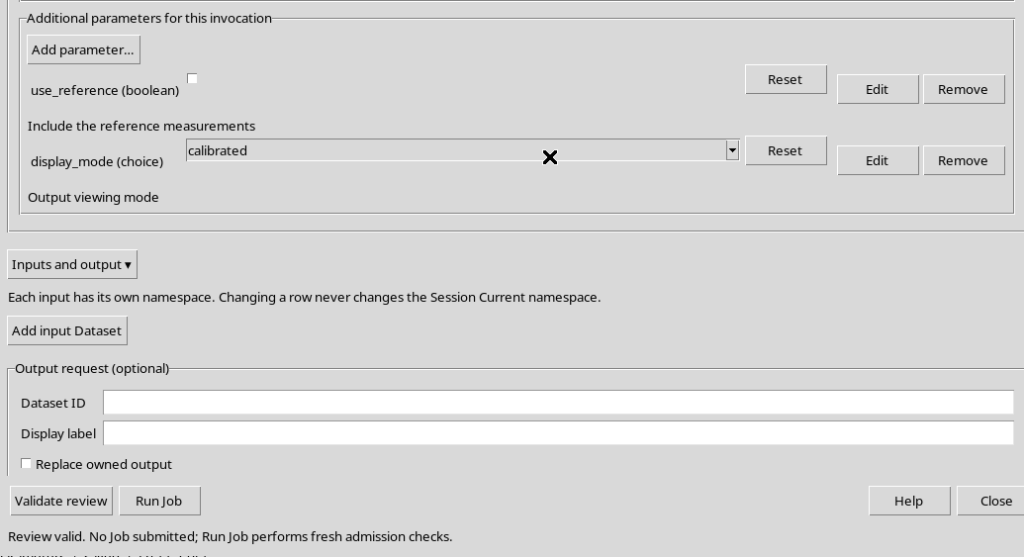
Correct the limits and press Apply. The offset_C row appears under Additional parameters for this invocation, with the buttons Reset, Edit and Remove.
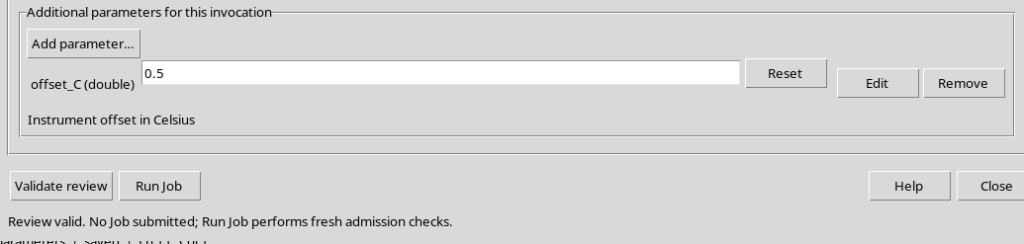
The parameter is added to the review of the call, not to the persistent registry of the parameters declared by the source.
8. Editing an Added Parameter and Using Reset
Edit reopens the Edit invocation parameter dialog. You can update the name, value and constraints of the temporary parameter. In the example offset_C becomes bias_C, with default 1.25 and range from -1 to 3.
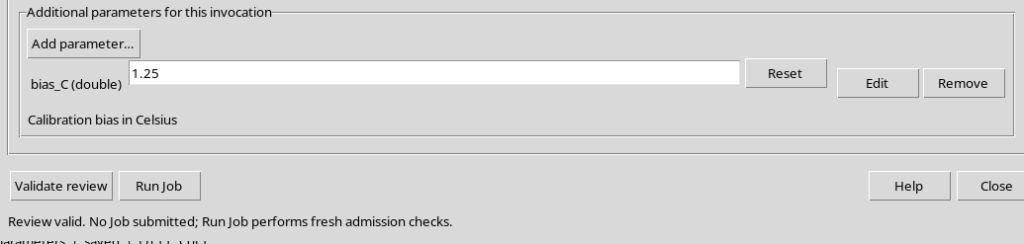
The new range is enforced as well: bias_C = 4.5 is rejected, while Reset restores 1.25. The temporary change does not alter the value declared in the source for gain, samples or method.
9. Adding Boolean and Choice Types in the Same Invocation
Added parameters can have different types. For example, a logical choice use_reference of type boolean produces a checkbox control, while display_mode of type choice can contain the options raw and calibrated.
The list values must be distinct: if you enter raw twice, Apply reports requires distinct choices. With correct options, the Runner lets you toggle the boolean value and choose calibrated.
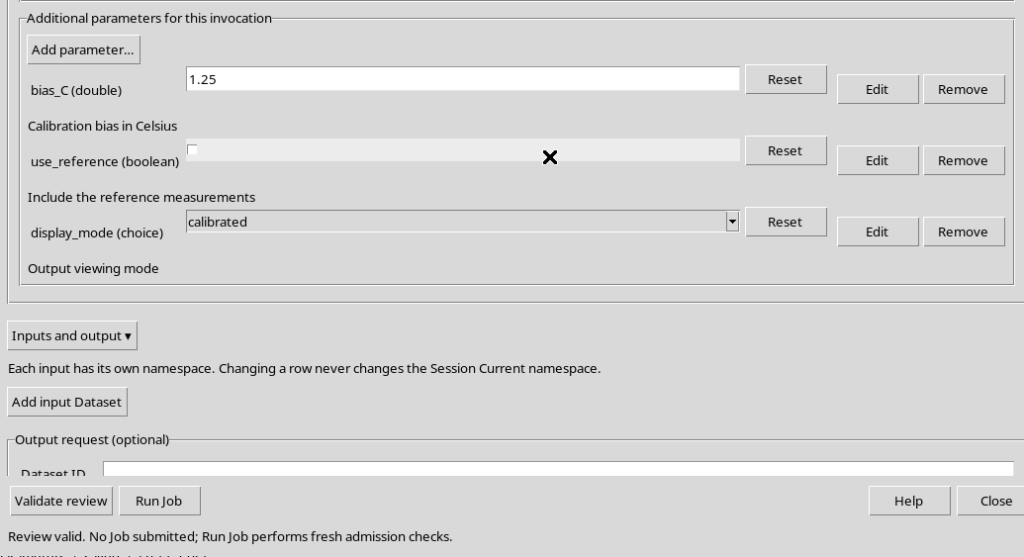
The union of the parameters declared in the Source and those added in the Runner forms the effective schema of the invocation. GX-TXT checks the values of the whole set before allowing the next steps; this chapter does not submit any Job.
10. Removing Temporary Parameters and Returning to the Source
Remove deletes only the corresponding added parameter. It does not modify the parameters declared in the code or the registered source. You can keep the other temporary parameters and continue validating them.
If you remove all the additional parameters, press Close and reopen Runner, only the three saved declarations gain, samples and method remain. This difference is fundamental: invocation parameters are not saved automatically in the Source or in the script registration.
Declarations in the Source must also use literal values. A declaration such as
% Not allowed as a static declaration default.
gxtxt_parameter_declare('gain', 'double', 'default', computed_gain);
is not a valid literal declaration; File → Save rejects it. The public function gxtxt_parameter_declare declares the structure and does not automatically assign the value to an Octave variable. In the later execution context, according to the public API contract, the effective values can be read through gxtxt_context():
% To be used only during a later, explicitly admitted execution.
ctx = gxtxt_context();
gain = ctx.parameters.gain;
In conclusion, use source declarations for the stable parameters of the script and Add parameter… for the additional values required by a particular invocation. Before going on, check type, default, ranges, enumerations and Validate review. Presets saved as a Parameter Dataset and the actual Run Job are separate operations.