GX-TXT Python Script Workspace: from logs to canonical scientific Datasets
The result of a Python Job does not automatically become a GX-TXT scientific Dataset. You can publish the stdout text as a canonical document, or use the public publication APIs to register numeric variables with type, dimensions and units. They are two different operations: the first faithfully preserves a text file; the second creates a verifiable scientific schema. This guide shows both paths through the original GX-TXT functions.
1. Why publish a result
When a program prints a value on screen, that value belongs first of all to the execution log. The supervisor keeps its content, but other scientific modules must not interpret every console line as a measurement. Canonical publication instead makes a result recognisable by the Registry and by the Session Catalogue, with its own identity, contract and provenance. The operation must be explicit and must refer to data actually available.
2. Two contracts not to be confused
In our example two Datasets are created:
| Characteristic | Document from stdout | Numeric result |
|---|---|---|
| Contract | document.text | table.generic |
| Format | txt, UTF-8 | csv |
| Content | Program lines | Numeric variable mean_c |
| Typed schema | No numeric column | float64, 1 row |
| Scientific unit | Not defined | degC |
| Origin | Stream of the completed Job | Commit by the Script’s public API |
The difference is semantic, not simply the file extension: a typed numeric Dataset can also use a CSV file, which is physically text.
3. Opening the stdout of a completed Job
In Script Jobs Manager, select a finished Python Job and choose Open execution details. Check its identity, revision and snapshot validation. In the stream selector choose Program output, then use Publish source as Dataset…. Do not choose stderr or Diagnostic log if the aim is to preserve precisely the normal stdout.

4. The source file of the text publication
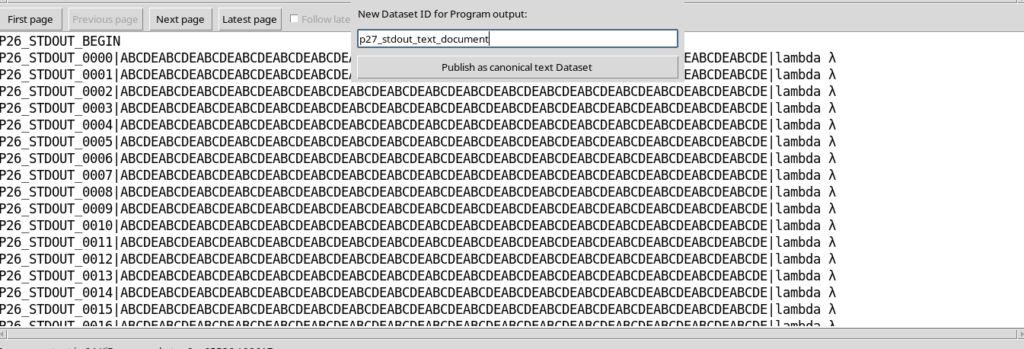
The log pane contains the lines that Python wrote to stdout. For a reproducible test we used only numbered synthetic messages. The text was not reconstructed by copying the panel: publication uses the complete stream kept by the Job, even if the view shows only one 64 KiB page. A manual selection, on the contrary, could transfer only the visible part.
5. The identity of a new Dataset
A Dataset must have a new, valid Dataset ID not already registered in the Session. It is advisable to choose a readable and stable identifier, for example stdout_document_demo. The name displayed in the interface can differ from the ID; to recognise the provenance precisely what counts is the registered identity, not a generic title such as Results. An existing Dataset must not be automatically replaced to recover space.
6. Confirming the publication of the document
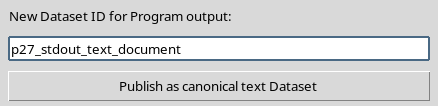
The Publish the selected execution source dialog presents the New Dataset ID field and the Publish as canonical text Dataset button. In the example the registered ID is p27_stdout_text_document. Pressing the button is an actual publication operation: it is not a simple save of the panel and does not start a new Python Job.
7. Reading the GUI confirmation
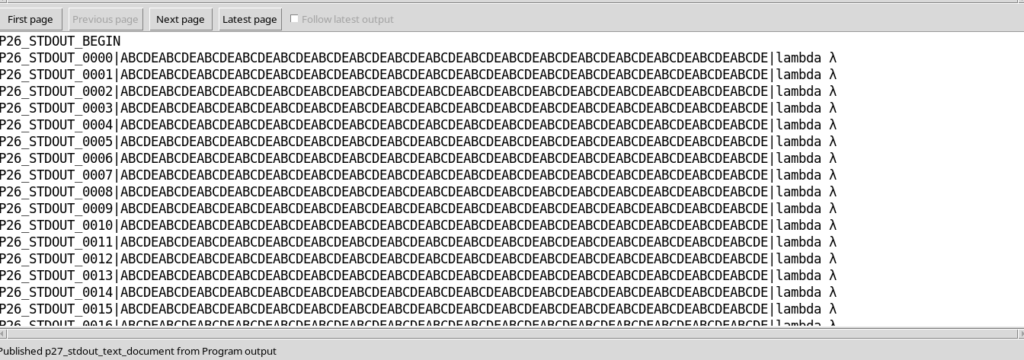
At the end, Execution details reports that the Dataset has been published from Program output. This confirmation indicates that the document has been committed in the current Session. However, it is not enough to stop at the message: complete verification also requires its existence in the Catalogue, the canonical file, its content and the corresponding SHA-256.
8. The document.text contract
The published document has contract document.text, storage text, format txt and media type text/plain. It is not a numeric table: it has no float64 scientific columns, no mean_c variable and no temperature unit. The lines in the document may contain numbers as part of natural language or of a log, but GX-TXT must not implicitly transform them into measurements.
9. Checking the text byte by byte
For the example document, the original stdout occupies 98,617 bytes. The canonical file just created has exactly the same size and the same SHA-256. It also keeps the start and end markers of the stream, including the UTF-8 characters. This check shows that the content was published in full, not merely copied from the first or last page of the log.
10. Provenance of the text Dataset
The canonical metadata record the originating Job, the role stdout, the SHA-256 of the Script that was run, the SHA-256 of the stream and the indication that the content is complete. The producer is analysis.python_script, in the corresponding module namespace. Provenance makes it possible to trace back from the artefact to the computation without relying on absolute paths of a particular machine.
11. Trying to reuse the same ID
Publication is normally create-only. If a Dataset ID already used is proposed again, GX-TXT rejects the request; the original document, its SHA-256 and its revision remain unchanged. This protection is important when several executions produce logs with similar names: a new publication must have a new identity, or go through an explicitly authorised and compatible replacement.
12. Moving on to a numeric result
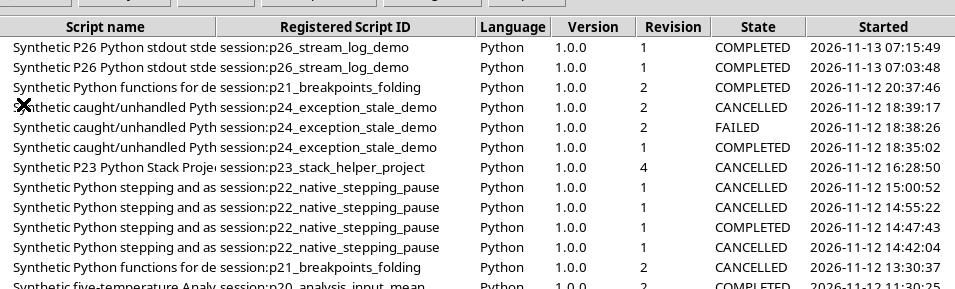
To publish a computed quantity, it is not enough to transform the stdout document into a CSV file. You need to declare variables, types, dimensions and units. We open a previous Python execution that computed the mean of five synthetic temperatures. From Script Jobs Manager we can select it and prepare Rerun selected…, keeping the history intact.
13. Not overwriting the previous Dataset
The Runner initially proposes the output request of the old execution. But that Dataset may already exist. If Replace owned output has not been selected, Validate review must reject the duplicate identifier and ask for a new ID. This avoids unintentionally modifying the historical result. In the example we choose a new ID for the numeric mean.

14. The new Output request
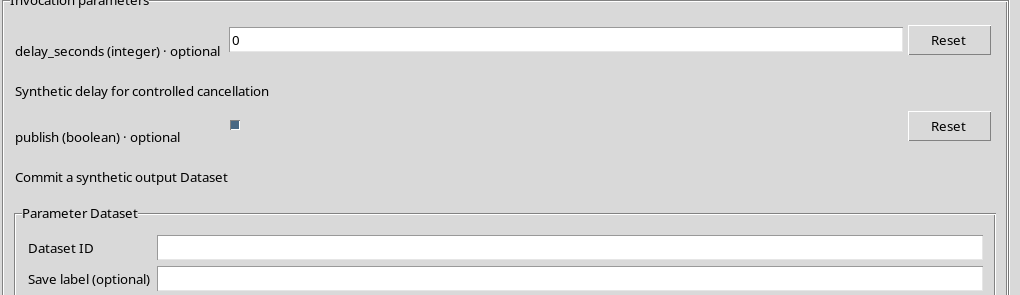
The Runner distinguishes the requested Dataset ID, the descriptive label, any authorised replacement and the invocation parameters. For this test the ID is p27_numeric_mean_degC, the value of publish is true and Replace owned output remains disabled. The request identifies where the user wants to publish; the actual commit will be performed by the Python code through the public API.
15. The publish parameter is not the commit
The registered Script declares a boolean parameter that decides whether to run the publication branch:
from gxtxt import gxtxt_parameter_declare, gxtxt_context

gxtxt_parameter_declare(
    "publish", "boolean", default=False,
    description="Commit a synthetic output Dataset"
)

ctx = gxtxt_context()
should_publish = ctx["parameters"]["publish"]
If the parameter remains false, the program can compute and print values without publishing any Dataset. When it is true, the code must still perform the commit operation correctly.
16. Validate review before the new Job
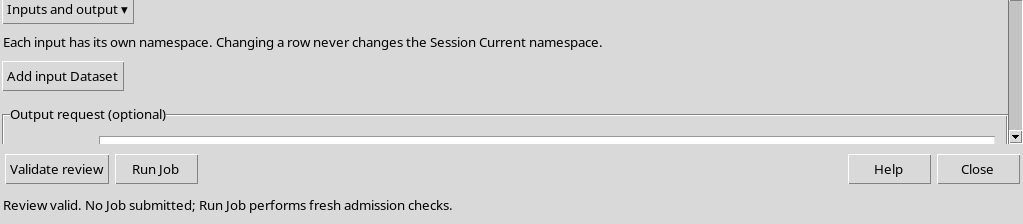
Before running, check the new Output Dataset ID, the absence of unwanted inputs, the publication parameter and the SHA-256 of the current Script. Press Validate review: a positive result confirms that the request is consistent, but does not create a Job and does not yet publish the Dataset. In the Rerun selected… path the explicit confirmation I reviewed this invocation is also required before Run Job.
17. The role of the public Python client
The Script uses the documented gxtxt client, and does not write directly to the Registry:
from gxtxt import gxtxt_context, gxtxt_api_call, gxtxt_api_require

ctx = gxtxt_context()
output_id = ctx["output"]["dataset_id"]

gxtxt_api_require("DATASET_PUBLICATION_API_v2@2")
gxtxt_context() reads the invocation context, including parameters and requested output. gxtxt_api_require() checks that the public contract is available in the required version. gxtxt_api_call() then sends the operations to the authorised service.
18. begin and the schema declaration
The first write step is begin, with contract and storage mode. In the example:
definition = {
    "dataset_id": output_id,
    "contract": "table.generic",
    "storage": "csv",
    "producer_version": "1.0.0",
    "source": "Five synthetic values only",
    "provenance": "Synthetic arithmetic mean",
}
writer = gxtxt_api_call("DATASET_PUBLICATION_API_v2", "begin", [definition])
The table.generic contract indicates that the publication contains a canonical table. The CSV extension does not replace the contract, the description of the variables or the scientific unit.
19. declare_dimension, declare_variable, append and finalize
After begin, an extendable dimension row is defined and a variable mean_c, of type float64, rank 1, unit degC, role derived. The code then performs append with a single numeric value, 20.0. finalize performs the canonical commit and returns a receipt. In case of an error before the commit, the Script must call abort on the still open writer.
writer = gxtxt_api_call("DATASET_PUBLICATION_API_v2", "begin", [definition])
try:
    gxtxt_api_call("DATASET_PUBLICATION_API_v2", "declare_dimension",
                   [writer, "row", 0, {"extendible": 1}])
    gxtxt_api_call("DATASET_PUBLICATION_API_v2", "declare_variable",
                   [writer, "mean_c", {
                       "name": "Synthetic temperature mean",
                       "dtype": "float64",
                       "rank": 1,
                       "dimension_ids": "row",
                       "unit": "degC",
                       "coordinate_role": "data",
                       "semantic_role": "derived",
                   }])
    gxtxt_api_call("DATASET_PUBLICATION_API_v2", "append",
                   [writer, "row", {"mean_c": [20.0]}])
    receipt = gxtxt_api_call("DATASET_PUBLICATION_API_v2", "finalize", [writer])
    writer = None
except Exception:
    if writer is not None:
        gxtxt_api_call("DATASET_PUBLICATION_API_v2", "abort", [writer])
    raise
The example value must be computed by your own program when applying this schema to real data.
20. Requested output and Dataset actually published
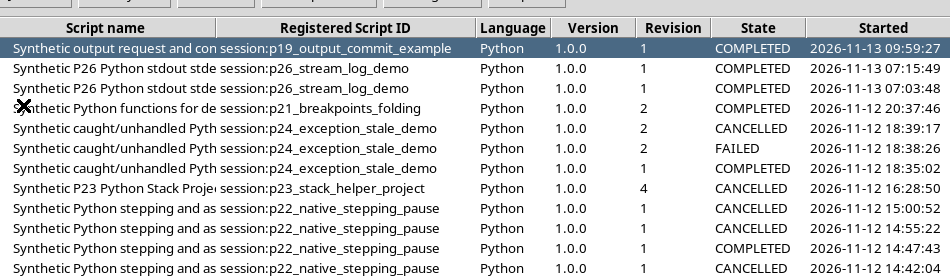
The new Job ends COMPLETED and its Execution details show two different sections: Requested output (separate from committed publications) and Committed published Dataset IDs. In the example both refer to the new numeric ID, but with different roles. The first is the wish expressed by the Runner; the second is proof of the commit actually recognised by the supervisor.

21. The stdout of the numeric Job
The program writes the computed mean to the normal stdout and, after finalize, a message reporting the published Dataset ID. This text makes the report easier to read, but does not replace the Dataset receipt. The identifier confirmed by GX-TXT is the one present in the Job’s publication register and in the canonical Catalogue.

22. Reading the value through CANONICAL_DATASET_API_v2
The numeric result was read back from the Catalogue through CANONICAL_DATASET_API_v2, not extracted from the console message. The reading verified one row, a variable mean_c of type float64, shape 1, unit degC and value 20.0. It is the mean of the five synthetic values 18, 20, 22, 21 and 19 °C. The check also verified the SHA-256 of the canonical file.
23. The historical Job remains unchanged
A rerun generates a new Job ID. The previous execution keeps its own snapshot, state and published Dataset. Two distinct Jobs therefore appear in the Session history, and the new one does not replace the old one. This separation makes it possible to compare invocations made at different times without confusing the results with the identity of the code.
24. A .txt document and a .csv table are not the same data
In GX-TXT, the document.text document contains the UTF-8 text of the complete stream, without scientific variables. The table.generic table instead has a schema that identifies mean_c as a numeric variable, with type, rank, dimension and unit. Both can physically reside in text files: to establish how to use them scientifically you need to read the canonical contract and the schema, not only the storage_kind field.
25. Why units and provenance are indispensable
The number 20.0 without context could be a voltage, a concentration or a temperature. The declaration unit="degC" instead makes the unit of the data explicit. Provenance identifies the producer analysis.python_script, the code revision and the Job that committed the result. The values in this guide are synthetic: they do not represent instrument measurements nor do they include an uncertainty estimate.
26. Publications are not additional Jobs
Publishing the stream of an already finished Job does not create a new user Python execution. The text Dataset is obtained from the previously stored file. The numeric table is instead produced by the commit performed during a new Python Job. GX-TXT can separately start CORE services to prepare previews of the new Datasets: these services must not be confused with the scientific Jobs requested by the user.
27. Recommended checks before reusing a Dataset
Before using a result in another GX-TXT module, check that the Dataset is present in the Catalogue of the correct Session, that the contract corresponds to the intended use, that the expected variables and units are available, that the canonical reading returns the correct values and that the SHA-256 matches the registered file. If the publication does not appear among the committed IDs, a console message or the COMPLETED state are not enough to guarantee its existence.
28. Returning to the normal Python Script Workspace
At the end close the execution panels and return to the High Contrast Dark editor, with the previous source clean. The two published Datasets remain in the Session Catalogue, each with its own identity and contract. The text result serves to keep a trace; the numeric one allows typed scientific processing. The next guide goes into the Session lifecycle, reopening sources and consulting historical Jobs.